
As Amazon Associates, we earn from qualifying purchases. This means we may receive a small commission at no extra cost to you if you click through and make a purchase.
Deciding whether to modernize your home network comes down to balancing raw bandwidth with the specific demands of your connected devices, and the TP-Link Archer GE800 directly targets households seeking uncompromising wired and wireless performance. As multi-gigabit fiber connections become widely available, standard consumer routers quickly create severe data choke points for gaming consoles, streaming media, and high-performance desktop rigs. This tri-band router integrates the Wi-Fi 7 wireless standard alongside an advanced dual 10G wired port layout, offering massive aggregate throughput intended to eliminate network congestion during peak household usage.
In this detailed tp link archer ge800 review, we explore how this flagship networking platform performs in modern connected environments and examine whether its specialized hardware justifies the upgrade. We analyze the complete tp link ge800 specs, evaluate how multi-gigabit interfaces function during demanding data transfers, inspect the real-world advantages of tp link ge800 wifi 7 connectivity, review software controls, and compare the unit to alternative choices to help you choose the right router for your home network.
What You Get With the TP-Link Archer GE800
TP-Link Archer GE800


Photographs published on the Amazon listing.
Unboxing the router reveals an aggressively styled networking hub accompanied by the core essentials needed to establish an immediate multi-gigabit link with your broadband modem or fiber terminal.
- Tri-band Wi-Fi 7 wireless broadcasting delivering combined speeds up to 19 Gbps across three frequency bands
- Twelve concurrent spatial streams powered by eight fixed internal gaming antennas optimized for broad directional coverage
- Dual 10 Gbps Ethernet and optical fiber SFP+ combination capability for ultra-fast WAN or LAN routing
- Four 2.5 Gbps Ethernet ports for dedicated wired gaming consoles and workstations
- One high-speed USB port for local network drive sharing and peripheral management
- Quad-core processor coupled with 2 GB of onboard RAM to process massive concurrent data loads
- Integrated real-time game performance panel and customizable multi-color RGB chassis lighting
- TP-Link HomeShield suite providing automated security scanning, IoT device identification, and parental controls
- Native EasyMesh compatibility to build unified whole-home mesh coverage with supported nodes
Key Specifications
Hardware Category
Manufacturer Specification
- Wireless Standard
- Wi-Fi 7 (802.11be), backward compatible with 802.11ax/ac/n/g
- Speed Rating
- Tri-Band BE19000 (up to 19 Gbps aggregate throughput)
- Antenna Architecture
- 8 fixed internal gaming antennas
- Spatial Streams
- 12 streams across 2.4 GHz, 5 GHz, and 6 GHz bands
- Physical Ethernet Ports
- 2x 10 Gbps ports, 4x 2.5 Gbps ports, 7 total physical interfaces
- Optical and Expansion Ports
- 1x Optical Fiber SFP+ combo port, 1x USB port
- Processor and Memory
- Quad-core processor with 2 GB installed RAM
- Maximum Upstream Rate
- 9.6 Gbps
- Data Transfer Rate
- 11528 megabytes per second listed rating
- Security Protocols
- WPA, WPA2, WPA3, WPA/WPA2-Enterprise (802.1x)
- Mesh Support
- EasyMesh whole-home standard
Copied from the Amazon listing. These figures were not measured here.
Ethernet Speeds and Archer GE800 Ports Capability
Physical wired connections remain the primary choice for serious latency reduction, and inspecting the archer ge800 ports reveals an interface array designed specifically for high-bandwidth households. The presence of two 10 Gbps ports provides enormous utility for users subscribed to multi-gigabit fiber internet tiers. One 10G port can function as your incoming wide-area network connection, while the secondary 10G port routes uncompressed bandwidth directly into a multi-gigabit switch, a creator workstation, or a centralized network-attached storage system without creating a bottleneck.
Beyond the primary 10G interfaces, the router provides four 2.5 Gbps Ethernet ports that supply robust connections for gaming consoles and secondary desktop computers. If you are comparing this layout with other high-end options like the tp link be900, having multi-gigabit ports across the entire back panel ensures that no connected device is artificially throttled to standard gigabit rates. The LAN port bandwidth auto-negotiates effortlessly between 10G, 2.5G, and 1G protocols, allowing legacy hardware to coexist cleanly alongside top-tier hardware.
Achieving optimal tp link ge800 ethernet speed requires high-quality wiring such as Cat6a or Cat7 cabling across your home runs. The inclusion of an optical fiber SFP+ combination port further provides flexibility for enterprise-grade fiber transceivers and direct fiber feeds. By dedicating multi-gigabit wired paths to latency-sensitive hardware, this router ensures that large game downloads or continuous cloud backups do not interfere with live gaming sessions happening simultaneously on the network.
Wi-Fi 7 Wireless Performance and Bandwidth for Gaming
Wireless technology takes a notable step forward on this platform by utilizing the 802.11be protocol to minimize wireless congestion. When evaluating the tp link ge800 for gaming across wireless channels, the standout improvement is the integration of ultrawide 320 MHz channels on the 6 GHz frequency band. Traditional wireless channels frequently suffer from interference in densely populated neighborhoods, but these ultra-wide frequency highways deliver uninterrupted data streams. When paired with compatible client devices, the router unleashes the full potential of tp link ge800 wifi 7 by eliminating channel overlap.
Another major technological leap present in this platform is Multi-Link Operation, widely known as MLO. In previous wireless standards, devices were forced to communicate over a single frequency band at a time, requiring hardware to choose between the range of 2.4 GHz, the balance of 5 GHz, or the clean spectrum of 6 GHz. With MLO enabled on this router, compatible hardware transmits and receives data packets across multiple wireless bands concurrently. This multi-band aggregation dramatically cuts latency spikes, buffers against packet loss, and delivers steady ping rates during competitive online matches.
Underneath the hood, the router combines a quad-core processor with 2 GB of internal RAM to manage twelve simultaneous spatial streams across its tri-band configuration. Users comparing this machine against other elite alternatives like the tp link be19000 will appreciate how efficiently the system processes heavy multi-client workloads. The router features specialized turbo game acceleration tools, including application boost and dedicated gaming port traffic prioritization, ensuring that bandwidth-heavy 4K streaming does not disrupt active gaming sessions.
Setup Process and EasyMesh Network Expansion
Configuring modern networking hardware can sometimes feel complex, but the tp link ge800 setup is engineered to be approachable for both newcomers and experienced network administrators. Users can initiate the configuration by launching the TP-Link Tether app on Android or iOS, which guides you step-by-step through physical cable connections, network naming, and administrative security passwords. For those who prefer direct manual control, the router provides a comprehensive web browser management console powered by RouterOS, where port forwarding rules, routing tables, and firewall levels can be modified in detail.
For sprawling floor plans or multi-story homes where a single access point might struggle to provide uniform coverage, tp link ge800 easymesh support delivers a practical expansion pathway. Rather than locking you into a proprietary mesh standard, EasyMesh enables this router to pair with compatible extenders and secondary routers to establish a single, seamless roaming network. If you have previously considered modular systems such as the tp link deco ax3000, using EasyMesh with the GE800 lets you maintain your powerful multi-gigabit routing core while deploying compact extension nodes to eliminate dead zones in distant rooms.
Network security is managed through the built-in TP-Link HomeShield software suite. The router includes foundational security features out of the box, such as automated network security scans, vulnerability assessments, and IoT device identification to isolate smart home gadgets. Basic parental controls allow parents to filter inappropriate web content and pause connectivity on specific family profiles. In addition, integrated Quality of Service tools let administrators prioritize essential devices, while weekly and monthly summary reports provide visibility into connected client behaviors.
Hardware Design, RGB Lighting, and Performance Monitoring
Visually, the router departs from traditional boxy office networking equipment by adopting an assertive, futuristic gaming chassis. The housing integrates eight fixed internal antennas positioned to optimize signal propagation across wide areas without requiring manual antenna adjustments. While the striking silhouette pairs naturally with high-end desktop gaming setups, its wide physical footprint requires adequate desk or shelf space, making it less suited for cramped entertainment centers or enclosed media cabinets.
Customizable RGB lighting allows owners to tailor the physical aesthetic of the router with millions of colors, or disable illumination entirely when a subdued appearance is preferred. Beyond visual styling, the software incorporates an intuitive real-time performance panel. This gaming dashboard displays critical network diagnostic metrics, active connected client counts, live upload and download throughput, and internal system health information, giving users immediate feedback on network status.
Thermal management is an essential element for routers operating with high-frequency radios and 10G transceivers, which generate notable heat during sustained loads. The ventilated chassis facilitates passive airflow across internal heatsinks, keeping the quad-core processor and internal memory operating stably during extended gaming sessions. Supported by high-security firewall protections and enterprise-grade WPA/WPA2-Enterprise protocols, the hardware maintains continuous operational stability under heavy household usage.
TP-Link Archer GE800 Pros and Cons
Pros
- Tri-band Wi-Fi 7 speeds reaching 19 Gbps
- Dual 10 Gbps ports and four 2.5 Gbps ports
- Multi-Link Operation for lower wireless latency
- Quad-core processor with 2 GB internal RAM
- Native EasyMesh whole-home roaming compatibility
Cons
- Fixed antennas cannot be adjusted or replaced
- Large gaming chassis requires substantial desk space
- Peak speeds require compatible Wi-Fi 7 clients
Check TP-Link Archer GE800 on Amazon
Is the TP-Link Archer GE800 Worth It
Deciding whether is tp link ge800 worth it depends primarily on your internet service subscription and the capabilities of your connected devices. If you subscribe to a multi-gigabit fiber connection offering 2 Gbps, 5 Gbps, or higher, this router serves as a fantastic foundation that actually delivers that external bandwidth to your local devices. Power users managing local network storage, media servers, or multi-PC creative workstations will find that the dual 10G ports and four 2.5G ports provide massive utility by completely removing internal transfer bottlenecks.
On the other hand, households running standard broadband speeds below 1 Gbps will see minimal immediate benefits from this level of hardware. While the Wi-Fi 7 features and quad-core processing power ensure reliable local traffic handling, investing in a router with 19 Gbps aggregate wireless capacity and 10G ports delivers diminishing returns if your primary online activities consist of basic web browsing, casual video streaming, and older Wi-Fi 5 or Wi-Fi 6 client devices.
For competitive gamers who demand the lowest attainable wireless latency, require prioritized wired ports for consoles and gaming PCs, and want to future-proof their network as Wi-Fi 7 hardware becomes widespread, this router represents an authoritative solution. Its balanced combination of modern wireless protocols, versatile multi-gigabit Ethernet interfaces, and specialized gaming prioritization features establishes an exceptional networking platform built to handle years of demanding digital entertainment.
Other Options to Consider
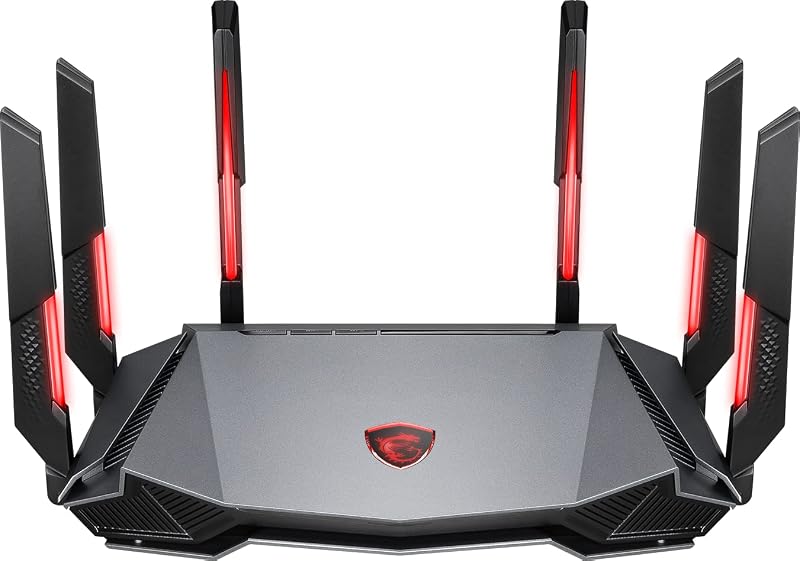
MSI Radix AXE6600 WiFi 6E is a practical alternative for gamers who want dedicated tri-band performance and AI QoS traffic prioritization without stepping into the newer Wi-Fi 7 ecosystem. Driven by a 1.8GHz quad-core processor, an eight-stream design, MU-MIMO capability, and customizable RGB lighting, this router provides responsive wireless performance well suited for homes primarily using Wi-Fi 6E devices.
Dual-Band Wireless Internet Router serves practical households that desire straightforward, reliable home Wi-Fi without specialized gaming features or software complexity. Supporting speeds up to 1800Mbps across twenty or more devices, this LNN-AX3000 Wi-Fi 6 router utilizes five external antennas and a simple five-step setup that requires no mobile app, making it a functional choice for everyday family web use.
ASUS TUF Gaming BE6500 WiFi offers an accessible route into Wi-Fi 7 networking for gamers who want multi-gigabit wired connections without the expansive footprint of dual 10G ports. Featuring dual-band wireless speeds up to 6.5 Gbps, Multi-Link Operation, four 2.5GbE ports, a built-in game accelerator, and subscription-free network security, it provides competitive players with targeted multi-gigabit gaming capability.

FAQ
What makes Wi-Fi 7 on the TP-Link Archer GE800 different from earlier standards?
Wi-Fi 7 incorporates 320 MHz ultrawide channels on the 6 GHz frequency band along with Multi-Link Operation, which allows compatible devices to transmit data over multiple wireless bands simultaneously. These architectural enhancements significantly increase overall throughput, lower latency, and reduce data buffering caused by network congestion.
What types of wired connections are supported on the Archer GE800 ports?
The router is equipped with two 10 Gbps ports for ultra-fast WAN or LAN traffic, four 2.5 Gbps Ethernet ports for dedicated gaming devices, an optical fiber SFP+ combination port, and a USB port. In total, the unit provides seven physical ports supporting auto-negotiating speeds of 10G, 2.5G, and 1G.
How does TP-Link EasyMesh function on this gaming router?
EasyMesh compatibility allows the router to connect with supported third-party and TP-Link mesh extenders to create a single, unified home wireless network. This setup enables your devices to roam smoothly between access points under one network name without suffering dropped signals or lag spikes when moving through the house.
Can the TP-Link Archer GE800 be set up without a smartphone app?
Yes, while the TP-Link Tether mobile app on iOS and Android provides an accessible setup method, the router can also be fully configured and maintained through a standard web browser interface. The web console provides direct access to the underlying RouterOS environment for advanced network, firewall, and port management.
What network security tools are included with TP-Link HomeShield?
The integrated TP-Link HomeShield suite provides automated security scans to detect network vulnerabilities, IoT device identification to isolate smart home appliances, basic parental controls to manage family screen time, and Quality of Service controls to prioritize specific devices across your local network.
Optimizing a high-end gaming station requires balancing multi-gigabit throughput with a clean physical setup to handle high-bandwidth workloads. Routing secondary peripherals through an Ultrawide Monitor Hub alongside these multi-gigabit LAN connections keeps your desk organized without compromising transfer stability. Pairing the Archer GE800 with capable hardware ensures your local network and workspace remain ready for future standard upgrades.


