As Amazon Associates, we earn from qualifying purchases. This means we may receive a small commission at no extra cost to you if you click through and make a purchase.
Upgrading to the TP-Link Archer BE900 represents an ambitious leap forward for households looking to build an uncompromised networking backbone. If your current home network struggles with bandwidth congestion, lag during heavy local data transfers, or poor distribution across modern wireless bands, this flagship router provides an answer. By integrating cutting-edge quad-band Wi-Fi 7 technology with dual 10 Gbps network ports, the hardware eliminates bottlenecks for multi-gigabit connections. However, for everyday households running modest internet speeds and standard client devices, the scale of this hardware demands realistic evaluation before deciding if it fits your practical daily needs.
This tp-link archer be900 review examines every functional aspect of the router to help you decide whether its capabilities align with your personal tech ecosystem. We analyze the complete tp link be900 specs, assess the physical port architecture, examine whole-home coverage dynamics, and break down the daily software management experience. Rather than getting lost in industry jargon, this guide focuses on tangible utility so you can determine whether this multi-gigabit router delivers genuine improvements or simply offers surplus performance you may never fully utilize.
What You Get With the TP-Link Archer BE900
TP-Link Archer BE900


Photographs published on the Amazon listing.
The Archer BE900 arrives as a fully integrated standalone networking hub engineered to support modern, high-bandwidth domestic environments. It provides a robust collection of internal hardware components, physical connection interfaces, and monitoring tools right out of the box.
- Quad-band Wi-Fi 7 wireless connectivity capable of aggregate speeds up to 24.4 Gbps across 16 spatial streams.
- Dual 10 Gbps connection options featuring one RJ45/SFP+ fiber combo WAN/LAN port and one dedicated 10 Gbps WAN/LAN port.
- Four 2.5 Gbps LAN ports and one 1 Gbps LAN port to support high-speed wired devices across your home.
- Two integrated USB ports for local network storage sharing and peripheral connectivity.
- Twelve internal antennas arranged with proprietary wireless optimization and Beamforming support.
- Interactive front-mounted touchscreen and an LED screen for quick visual status updates.
- TP-Link HomeShield suite with built-in network security, basic parental controls, and Quality of Service management.
- EasyMesh compatibility allowing the router to link with compliant extenders or secondary routers under a single network name.
Key Specifications
Specification
Details
- Wireless Protocol
- Wi-Fi 7 (802.11be, backward compatible with 802.11ac/ax/g/n)
- Frequency Bands
- Quad-Band (2.4 GHz, two 5 GHz bands, and 6 GHz)
- Maximum Wireless Rate
- Up to 24.4 Gbps combined across 16 streams
- 10G Network Ports
- 1x 10 Gbps RJ45/SFP+ Combo WAN/LAN, 1x 10 Gbps WAN/LAN
- Standard LAN Ports
- 4x 2.5 Gbps LAN, 1x 1 Gbps LAN (7 total Ethernet ports)
- USB Connectivity
- 2x USB Ports
- Antenna Configuration
- 12 Internal Antennas with Beamforming
- Operating System
- ZyNOS
- Wireless Security
- WPA, WPA2, WPA3, WPA/WPA2-Enterprise (802.1x)
- Control and Setup
- Tether App (Android and iOS) or Web Browser Interface
Copied from the Amazon listing. These figures were not measured here.
Wired Throughput and Archer BE900 10G Ports
The wired capabilities of this router stand out as one of its most compelling hardware achievements. Featuring two distinct 10 Gbps ports—one standard RJ45 WAN/LAN port and one 10 Gbps Ethernet/Fiber combo WAN/LAN port—the router is equipped to handle rapid incoming fiber connections directly from your service provider. This setup ensures that households subscribed to multi-gigabit residential tiers do not lose bandwidth at the router interface. All routers require a separate external modem from your service provider, such as Comcast, Spectrum, AT&T, or Frontier, but once connected, the router provides massive multi-gigabit throughput to the rest of the dwelling.
Beyond the primary 10G connections, the device provides four 2.5 Gbps LAN ports and a standard 1 Gbps LAN port, delivering seven total Ethernet connections. This layout allows demanding users to hardwire personal computers, network-attached storage enclosures, and modern gaming consoles without running into standard 1 Gbps bottlenecks. If your hardware fleet includes multi-gigabit network cards, you can route file backups across local storage drives at unprecedented speeds. Shoppers exploring intermediate step-ups like the tp link be19000 will notice that having dual 10G ports alongside four 2.5G ports gives the BE900 an exceptionally wide local pipeline.
Rounding out the physical connectivity are two USB ports designed to host external storage drives or local shared resources across your home network. By plugging a high-capacity drive directly into the rear panel, you can maintain centralized access to media files and system backups without having a dedicated server running around the clock. The generous physical port array ensures that power users with dense hardware setups will rarely need to rely on an external unmanaged switch to achieve rapid local wired speeds.
Quad-Band Architecture and Wi-Fi 7 Performance
The wireless engine inside this router is driven by tp link be900 wifi 7 technology operating across a quad-band structure. Unlike traditional dual-band or tri-band hardware, this system distributes client traffic across a 2.4 GHz band, two independent 5 GHz bands, and the pristine 6 GHz frequency band. By breaking the 5 GHz spectrum into two separate lanes, the router prevents high-traffic media devices from crowding out general household hardware. Total theoretical throughput reaches up to 24.4 Gbps across 16 streams, giving your wireless network immense total headroom.
The introduction of the 6 GHz band brings access to 320 MHz channel widths and 4K-QAM modulation, core pillars of the 802.11be standard. These extra-wide channels act like empty multi-lane expressways, bypassing legacy network congestion and reducing wireless latency to near-zero levels. When pairing the router with compatible Wi-Fi 7 client devices, tasks such as 4K and 8K media streaming, augmented reality, and massive file downloads happen with virtually instantaneous response times. Users evaluating comparable hardware like the tp-link archer be9700 can appreciate how the addition of a second 5 GHz band in this quad-band layout keeps legacy devices thoroughly segregated from pure Wi-Fi 7 traffic.
Backward compatibility is fully preserved, ensuring that your existing smart plugs, older laptops, and mobile phones connect seamlessly. The platform supports 802.11ac, 802.11ax, 802.11g, and 802.11n standards alongside Wi-Fi 7. While older client devices cannot take advantage of the ultra-wide 320 MHz channels on the 6 GHz frequency, they benefit directly from the reduced traffic interference created when modern devices migrate over to the newer bands.
Coverage Distribution and Antenna Performance in Busy Homes
Achieving stable wireless signals across large floor plans requires thoughtful hardware placement, and tp link be900 coverage relies on twelve internal antennas positioned strategically within the chassis. By utilizing an internal array rather than external adjustable antennas, the unit maintains an upright, modern aesthetic without compromising performance. Proprietary Wi-Fi optimization routines work alongside integrated Beamforming technology to detect the physical location of connected clients and concentrate radio frequency energy directly toward them, minimizing dead zones and dead spots.
For homes with sprawling footprints, dense plaster walls, or multi-story layouts, the router integrates EasyMesh compatibility. This feature allows you to link the main router with any EasyMesh-compliant range extender or secondary router to create a unified network under a single network name. However, the listing explicitly notes that the router is not compatible with proprietary mesh systems like Deco. If your current home relies on mesh hardware such as the tp link deco ax3000, you cannot integrate this Archer unit into that specific mesh ecosystem, making EasyMesh hardware necessary for future physical expansion.
For household entertainment and competitive play, using the archer be900 for gaming ensures low packet delay and consistent ping times. The router utilizes its 16 spatial streams to manage concurrent connections effortlessly, preventing gaming traffic from suffering jitter when another family member begins streaming high-bitrate video in another room. The combination of Beamforming, broad frequency allocation, and multi-stream capacity provides a stable wireless foundation even in device-dense modern smart homes.
Installation Procedure and Daily System Management
Completing the archer be900 setup process is straightforward, whether you prefer using a mobile device or a conventional desktop web browser. The primary management method utilizes the TP-Link Tether app, available on both Android and iOS. Once connected to your internet service provider modem, the mobile app walks you through step-by-step connection checks, network naming, and password creation in just a few minutes. Checking the Tether app regularly ensures your router runs the latest firmware, which is critical for maximizing performance and maintaining system stability.
A distinctive physical feature of the router is its interactive touchscreen and secondary LED screen built directly into the front casing. Rather than relying solely on abstract blinking status lights, the screen provides instant visual feedback regarding weather, time, network statistics, and functional errors. For quick physical device integration, an accessible WPS button lets you securely connect wireless printers, smart home accessories, and guest devices without manually entering long network passwords.
Under the hood, the router runs on the ZyNOS operating system and includes TP-Link HomeShield software. The integrated free tier supplies basic network security checks, Quality of Service traffic prioritization controls, and parental controls to monitor device access. On the security front, the router supports comprehensive modern encryption standards, including WPA, WPA2, WPA3, and enterprise-grade 802.1x protocols, ensuring your connected personal computers and home hardware remain shielded against unauthorized access attempts.
TP-Link Archer BE900 Pros and Cons
Pros
- Quad-band Wi-Fi 7 speeds up to 24.4 Gbps
- Dual 10 Gbps Ethernet and Fiber combo ports
- Four 2.5 Gbps LAN ports for wired clients
- Twelve internal antennas with Beamforming technology
- Interactive touchscreen and customizable LED screen
Cons
- Incompatible with TP-Link Deco mesh systems
- Requires a separate standalone modem
- Extreme bandwidth capacity exceeds standard home internet plans
Check TP-Link Archer BE900 on Amazon
Is the TP-Link Archer BE900 Worth It
Deciding if the router is right for you depends almost entirely on your current internet tier, the devices you own, and how much local wired traffic your home generates. For tech enthusiasts, content creators running high-speed local NAS units, and households with multi-gigabit fiber connections, the dual 10 Gbps ports and four 2.5 Gbps connections provide unmatched future-proofing. If you regularly handle massive data transfers or have already acquired Wi-Fi 7 smartphones and laptops, the tp link be900 quad band capability delivers immense wireless headroom and pristine speeds.
Conversely, if your internet connection is capped at standard gigabit or sub-gigabit speeds, this hardware represents substantial overkill. Everyday activities such as 4K video streaming, general web browsing, and remote office work run perfectly well on simpler hardware like the classic tp link ac1900, without requiring cutting-edge 10G infrastructure or 320 MHz wireless channels. Furthermore, because the router cannot interface with TP-Link Deco mesh systems, existing Deco owners will find the upgrade path restrictive unless they transition over to EasyMesh hardware.
Ultimately, this router is built for the user who refuses to compromise on network capacity and wants a platform that remains relevant for years to come. If you have the multi-gigabit service, compatible client hardware, and local networking demands to take advantage of its 16 streams and high-speed ports, it provides an outstanding, high-performance centerpiece for your domestic network.
Other Options to Consider
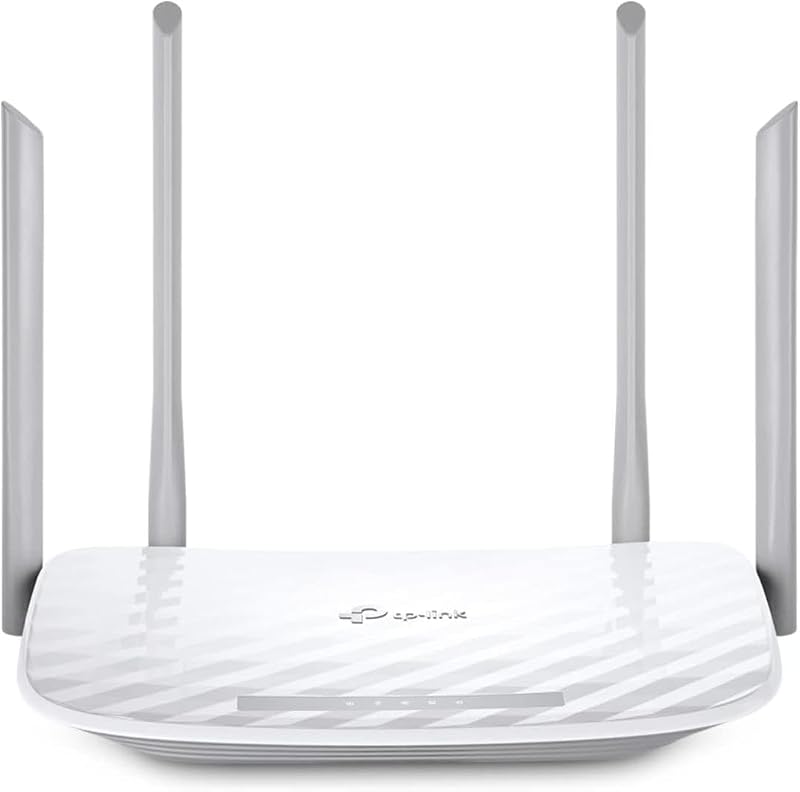
MU-MIMO Wireless Internet Router is a TP-Link AC1200 gigabit dual-band Wi-Fi router (Archer A6) featuring four external antennas, OneMesh support, and an alternate access point mode. It serves as an ideal pick for budget-focused shoppers who only need straightforward, dependable coverage for everyday browsing without paying for multi-gigabit ports or advanced Wi-Fi 7 technology.

Reliable Performance represents the NETGEAR Nighthawk RS90 (BE3600), a dual-band Wi-Fi 7 router engineered to cover up to 2,000 square feet and handle up to 50 connected devices. It offers aggregate wireless speeds up to 3.6 Gbps alongside a practical port layout of one 2.5G port and three gigabit ports, making it a well-matched alternative for users wanting entry-level Wi-Fi 7 without the complexity of a quad-band setup.
4 x 10 100 Mbps is the TP-Link AC1200 Wi-Fi router (Archer A54), a compact dual-band wireless unit equipped with four 10/100 Mbps fast Ethernet ports, EasyMesh compatibility, guest network support, access point mode, IPv6, and parental controls. It suits secondary spaces or modest households that require essential wireless connectivity without demanding high-speed multi-gigabit infrastructure.
FAQ
Does the Archer BE900 come with an integrated modem?
No, the router does not include an internal modem. The listing notes that all Wi-Fi routers require a separate standalone modem provided by or compatible with your internet service provider, including Comcast, Spectrum, AT&T, Verizon, and Frontier.
Can I connect the Archer BE900 to an existing TP-Link Deco mesh system?
No, the product listing explicitly confirms that the Archer BE900 is not compatible with TP-Link Deco mesh Wi-Fi systems. However, it does support the EasyMesh standard, which lets you expand coverage using compatible EasyMesh extenders or routers.
What wired connections are included on the router?
The device provides seven total network ports: one 10 Gbps Ethernet/Fiber combo WAN/LAN port, one dedicated 10 Gbps WAN/LAN port, four 2.5 Gbps LAN ports, and one 1 Gbps LAN port, in addition to two USB ports for peripheral devices.
Do all my devices need to support Wi-Fi 7 to connect?
No, the router is backward compatible with earlier wireless standards, including 802.11ac, 802.11ax, 802.11g, and 802.11n. Older devices will connect normally on 2.4 GHz and 5 GHz bands, while Wi-Fi 7 devices can utilize the full feature set on the 6 GHz band.
What security features are included out of the box?
The router includes TP-Link HomeShield, which provides basic network security, parental controls, and Quality of Service prioritization. For wireless encryption, it supports WPA, WPA2, WPA3, and enterprise-grade 802.1x security protocols.