
As Amazon Associates, we earn from qualifying purchases. This means we may receive a small commission at no extra cost to you if you click through and make a purchase.
The TP-Link Archer BE800 is engineered for busy households pushing the limits of bandwidth, wireless device density, and multi-gigabit wired infrastructure. As home broadband packages surpass single-gigabit thresholds and local networks handle high-throughput file transfers, media streaming, and competitive gaming, standard wireless routers quickly hit performance ceilings. Investing in this tri-band Wi-Fi 7 platform makes practical sense if your home environment actively benefits from ultra-wide 320 MHz channels, Multi-Link Operation, and pro-grade 10 Gbps Ethernet interfaces. In this tp-link archer be800 review, we explore whether the router solves genuine home networking bottlenecks or simply delivers more speed than typical modern households require.
This practical review examines the router’s physical layout, wired throughput, wireless capabilities, and software management features to give shoppers an unvarnished assessment. We will walk through the internal antenna design, EasyMesh expansion capabilities, specialized IoT network isolation, and onboard HomeShield security tools so you know exactly what to expect before committing to an upgrade. For households weighing different tiers within the brand’s flagship lineup, exploring our guide to the tp link be900 offers helpful perspective on how this model compares across the top end of modern home networking.
What You Get With the TP-Link Archer BE800
TP-Link Archer BE800


Photographs published on the Amazon listing.
The TP-Link Archer BE800 is a standalone desktop router featuring an upright form factor and an integrated LED front display that sets it apart from traditional flat networking hubs. Based on the manufacturer listing details, the package includes the primary hardware alongside core connectivity features:
- TP-Link Archer BE800 Tri-Band Wi-Fi 7 Router with built-in front LED screen capable of displaying custom graphics, emojis, time, and weather
- Dual 10G WAN/LAN port interfaces, providing one RJ45 copper port and one SFP+ fiber/RJ45 Ethernet combo port
- Four dedicated 2.5G LAN ports for high-bandwidth client hardware
- One integrated USB 3.0 port for network-attached storage and shared local drive access
- Eight internal positioned antennas backed by Beamforming and Wi-Fi optimization
- TP-Link HomeShield suite with basic network security, IoT device identification, parental controls, and Quality of Service controls
- Tether app support for mobile setup and diagnostics on Android and iOS platforms
- Power adapter and initial setup accessories, though the listing does not specify detailed power cable measurements or bundled Ethernet cable category ratings
Key Specifications
Specification
Hardware Detail
- Wi-Fi Generation
- Wi-Fi 7 (802.11be, backward compatible with 802.11ax/ac/n/g)
- Frequency Band Class
- Tri-Band (6 GHz, 5 GHz, 2.4 GHz)
- Total Data Transfer Rate
- Up to 19,000 Mbps (BE19000 combined)
- Individual Band Speeds
- 11,520 Mbps (6 GHz), 5,760 Mbps (5 GHz), 1,376 Mbps (2.4 GHz)
- High-Speed 10G Ports
- 2 x 10 Gbps WAN/LAN (1 x RJ45, 1 x SFP+ Fiber/RJ45 Combo)
- Multi-Gigabit LAN Ports
- 4 x 2.5 Gbps Ports
- USB Connectivity
- 1 x USB 3.0 Port
- Antenna Architecture
- 8 x Internal Positioned Antennas with Beamforming
- System Memory
- 2 GB RAM
- Operating System and Security
- RouterOS with WPA/WPA2-Enterprise, WPA2, and WPA3
Copied from the Amazon listing. These figures were not measured here.
Archer BE800 10G Ports and Wired Performance
The defining technical asset of the Archer BE800 centers on its physical switching backplane. Equipped with two 10 Gbps WAN/LAN ports—one standard RJ45 port and one SFP+ fiber/RJ45 Ethernet combo port—this router accommodates multi-gigabit fiber broadband connections straight from modern optical network terminals. The inclusion of the combo port gives network enthusiasts flexible support for direct fiber transceivers or copper cabling. This dual 10G layout eliminates the traditional single-port bottleneck, allowing an incoming ultra-fast broadband feed to connect directly to an equally fast downstream core switch, secondary router, or primary workstation.
Beyond the flagship 10G connections, tp-link be19000 ethernet performance is bolstered by four additional 2.5G LAN ports. Most conventional consumer routers still use standard 1 Gbps Gigabit jacks, which inevitably cap the throughput of fast desktop computers, network-attached storage units, and intermediate switches. Having four dedicated 2.5G ports alongside dual 10G interfaces ensures that multiple high-speed hardwired devices can transfer large data archives, back up video libraries, and communicate concurrently without saturating the local area network.
To support high-speed local data handling, the router pairs its port array with an integrated USB 3.0 port and 2 GB of onboard RAM. The listing specifies maximum upstream data transfer rates reaching 10,000 Mbps, reflecting the high-capacity hardware fabric managed under RouterOS. For workstations that rely on steady high-volume data transfers rather than unpredictable wireless links, these archer be800 10g ports turn the router into a reliable wired hub that handles heavy domestic and creative networking workloads with ease.
Archer BE800 Wi-Fi 7 Speeds and Wireless Coverage
The wireless performance of the Archer BE800 is powered by the complete suite of Wi-Fi 7 standard enhancements. Tri-band broadcasting splits your wireless traffic across three distinct spectrum layers: an expansive 6 GHz band reaching up to 11,520 Mbps, a fast 5 GHz band delivering up to 5,760 Mbps, and a reliable 2.4 GHz band providing up to 1,376 Mbps. The 6 GHz spectrum takes advantage of ultra-wide 320 MHz channels, which double the pathway width compared to prior wireless standards, enabling compatible hardware to transmit dense data streams with minimal latency.
Delivering these archer be800 wifi 7 speeds also depends on Multi-Link Operation (MLO) and 4K-QAM modulation. MLO allows compatible client devices to transmit and receive data across multiple frequency bands simultaneously, rather than being confined to a single band at a time. This multi-band aggregation bypasses localized band congestion, reduces buffering spikes, and keeps data flowing smoothly even in environments saturated with neighboring radio signals. When combined with 4K-QAM, which packs 120 percent more data into each transmission compared to 1024-QAM, your high-bandwidth clients experience rapid, dependable throughput.
Wireless distribution relies on eight internal positioned antennas paired with Beamforming and proprietary Wi-Fi optimization routines. Rather than employing external rabbit-ear antennas, the upright chassis houses internal elements engineered to maintain reliable tp-link be19000 range across large spaces. If your floor plan presents thick interior walls or extended distances that challenge a single access point, native archer be800 easymesh compatibility lets you connect additional EasyMesh routers or range extenders into a continuous whole-home network. Those who want a modular setup from the start might also look into our review of the tp link deco ax3000 to see how dedicated mesh pods compare with a central flagship router.
TP-Link BE19000 for Gaming and High-Traffic Networks
Competitive multiplayer games, low-latency cloud gaming, and interactive streaming demand dependable packet delivery, making the tp link be19000 for gaming an exceptionally capable router. With Wi-Fi 7 Multi-RU (Multiple Resource Units) and channel puncturing capabilities, your gaming packets can avoid congested sections of wireless channels without being blocked entirely. This ensures that latency-sensitive gaming streams remain responsive and stable even when other devices in your home are streaming 4K media or running system updates simultaneously.
Quality of Service controls integrated into TP-Link HomeShield enable users to designate gaming consoles, desktop PCs, and work laptops as high-priority clients on the network. Because competitive gaming relies on low jitter rather than pure bulk download speed, prioritized packet routing keeps ping times consistent under heavy overall network utilization. Furthermore, the Archer BE800 features native support for VPN clients and servers, allowing devices to access private remote networks directly through the router without requiring standalone client software on every individual game console or smart TV.
Smart home appliances, smart speakers, and security cameras can quickly crowd a home network with constant small-packet background communication. The Archer BE800 addresses this through a dedicated Private IoT Network overlaid with advanced WPA3 encryption. Segregating your IoT devices onto an isolated wireless network shields high-performance gaming machines and personal computers from local network background clutter while providing an extra barrier of security against vulnerable smart home endpoints.
TP-Link BE19000 Setup and Management Features
Getting the router up and running is straightforward thanks to an intuitive tp link be19000 setup workflow managed via the free Tether app, accessible on both iOS and Android. The mobile app walks you through connecting your internet feed, establishing custom network names, and defining access passwords within minutes. For users who prefer fine-tuning their local area network from a web browser, the RouterOS administration dashboard provides deep access to port configuration, guest access, access point operating modes, and WPS controls.
Physical network monitoring receives a unique design upgrade via the front-facing integrated LED display. Owners can choose from over 3,000 custom graphics and emojis or set the display to project real-time information such as the current time, weather updates, or network status. This practical visual element replaces confusing, flickering status pinhole LEDs with clear, legible text and iconography, allowing you to confirm that your multi-gig internet link is active with a quick glance at the shelf.
Day-to-day network management also integrates Amazon Alexa and Google Assistant voice controls, enabling hands-free commands to reboot the unit or manage guest network availability. Automated basic weekly and monthly reports from HomeShield summarize security events, connected client behaviors, and network load without requiring manual oversight. For users stepping up from simpler platforms like the tp link ac1900, the administrative improvements and diagnostic tools on the Archer BE800 make maintaining an expansive home network far simpler.
TP-Link Archer BE800 Pros and Cons
Pros
- Dual 10G WAN and LAN ports
- Tri-band Wi-Fi 7 speeds to 19 Gbps
- Four dedicated 2.5G multi-gig LAN ports
- EasyMesh support for whole-home wireless expansion
- Customizable front LED display for diagnostics
- Native VPN client and server integration
Cons
- Upright chassis requires substantial shelf clearance
- Full Wi-Fi 7 speeds require compatible clients
- Advanced HomeShield security features require subscription
Check TP-Link Archer BE800 on Amazon
Is the TP-Link Archer BE800 Worth It
Determining whether is tp link be19000 worth it comes down to the speed of your internet tier and the hardware capabilities of your home devices. If your property is wired for multi-gigabit fiber broadband and your household actively uses 2.5G or 10G wired workstations, high-speed local network storage, and modern Wi-Fi 7 client devices, this router delivers exceptional value. Its dual 10G ports, four 2.5G LAN ports, and massive 19 Gbps maximum wireless data transfer rate eliminate data bottlenecks that choke lesser hardware.
However, if your broadband service plan is capped under one gigabit per second and the majority of your devices still use Wi-Fi 5 or Wi-Fi 6, much of the advanced capability of this router will go unused. Standard internet browsing, single-stream media playback, and light smart home management do not require 320 MHz channels or 10G Ethernet switching backplanes. Those looking for a balanced Wi-Fi 7 upgrade with fewer specialized enterprise ports may find an option like the tp-link archer be9700 better suited to a conventional consumer device collection.
Ultimately, the Archer BE800 is an investment in future-proof networking infrastructure. If you want a central command center that can manage high-density traffic, provide extensive multi-gigabit wired expansion, and support cutting-edge Wi-Fi 7 features for years to come, this router delivers the hardware foundation you need.
Other Options to Consider
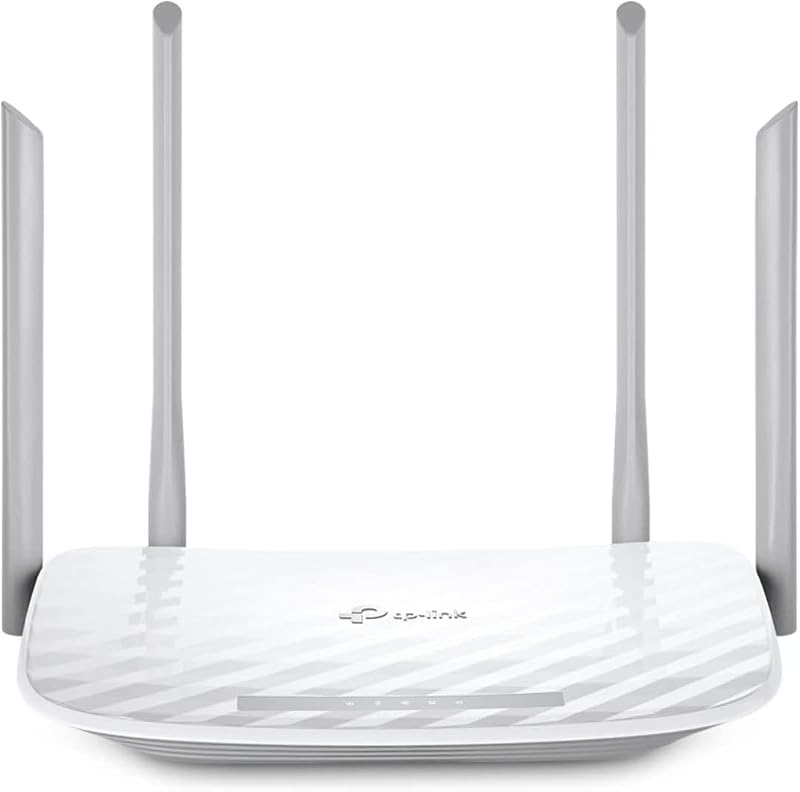
The MU-MIMO Wireless Internet Router is tailored for shoppers looking for a basic dual-band AC1200 wireless connection with four external antennas, OneMesh support, and access point modes, making it an ideal choice for smaller apartments with standard broadband speeds rather than multi-gigabit households.

The Reliable Performance router provides an entry point into Wi-Fi 7 with BE3600 dual-band speeds, coverage up to 2,000 square feet, support for up to 50 devices, and a single 2.5G port alongside three Gigabit ports, suiting everyday families who want next-generation wireless without enterprise-level dual 10G hardware.
The 4 x 10 100 Mbps router offers dual-band AC1200 wireless speeds, EasyMesh compatibility, access point mode, and parental controls with four Fast Ethernet ports, making it suitable for secondary utility connections or minimal internet setups that do not demand multi-gigabit switching.
FAQ
Does the TP-Link Archer BE800 require a modem?
Yes, a separate modem or optical network terminal is required for most internet service providers. The Archer BE800 functions as a high-performance router and access point, connecting to your modem via its 10G RJ45 or SFP+ combo WAN/LAN ports.
What makes the Archer BE800 10G ports unique?
The Archer BE800 provides two separate 10 Gbps ports: one standard RJ45 copper Ethernet port and one combo port supporting either SFP+ fiber modules or RJ45 copper connections. This gives you flexible connectivity options for incoming high-speed fiber lines and outgoing multi-gig local network hardware.
Can the Archer BE800 connect with existing mesh hardware?
Yes, the Archer BE800 is EasyMesh-compatible. It can link with other EasyMesh-supported routers and range extenders to establish a unified mesh network that eliminates connection drops and handoff lag across large living spaces.
What free security features are included with HomeShield?
Out of the box, TP-Link HomeShield provides basic network security including security scans, IoT device identification, basic parental controls, Quality of Service traffic prioritization, and basic weekly or monthly network activity reports.
How does the front LED display work?
The front chassis features an integrated LED screen that can display the current time, weather information, or network diagnostics. It can also be customized with over 3,000 graphics and emojis configured through the router’s management interface.


