As Amazon Associates, we earn from qualifying purchases. This means we may receive a small commission at no extra cost to you if you click through and make a purchase.
Finding an indoor security monitor that balances high-resolution video capture with responsive tracking can quickly become frustrating when wading through marketing terms. The eufy 2K Indoor Cam E220 addresses this dilemma by offering a motorized pan-and-tilt build that physically follows subjects while recording in crisp 2K video. For shoppers searching for a dependable eufy 2k indoor camera, this model serves as an accessible entry point that combines local intelligent filtering with multi-ecosystem smart home support, making it well suited for active living rooms, hallways, and open play areas.
In this evaluation, we break down what everyday users can actually expect from this motorized dome unit in typical household environments. We examine its motorized movement accuracy, the realities of connecting it to multiple third-party voice assistants, how its on-device identification handles pets versus people, and where its physical constraints require planning during setup. Whether you need a continuous nursery monitor or a room-wide surveillance device, this overview outlines its operational capabilities and core hardware characteristics.
What You Get With the eufy 2K Indoor Cam E220
eufy 2K Indoor Cam E220


Photographs published on the Amazon listing.
The eufy 2K Indoor Cam E220 provides an integrated monitoring package focused on mechanical flexibility and localized processing straight out of the box. Based on the manufacturer specifications, here are the primary features and inclusions provided with this kit:
- On-device artificial intelligence that automatically distinguishes between human and animal activity to restrict nuisance alerts
- Motorized pan-and-tilt base delivering 360-degree horizontal room coverage
- High-definition 2K optical capture during native recording and streaming
- Downscaled 1080p resolution support when connected via Apple HomeKit
- Built-in two-way audio components for real-time room communication
- Automated mechanical motion tracking that follows moving targets across the lens’s field of view
- Dedicated wall-mounting bracket and hardware for elevated installation
- Corded electric power adapter and power cable for continuous electrical supply
- Broad ecosystem compatibility with Apple HomeKit, Amazon Alexa, Google Assistant, and HomeBase 3
Key Specifications
Before installing a camera, reviewing hardware constraints ensures it aligns with your room layout and existing smart home ecosystem. The table below outlines the essential eufy 2k indoor camera specs directly derived from the manufacturer documentation.
Feature
Specification Details
- Video Capture Resolution
- 2K (1080p when paired with Apple HomeKit)
- Form Factor
- Dome pan-and-tilt
- Field of View
- 360-degree horizontal coverage
- Power Source
- Corded electric (30 watts)
- Wireless Connectivity
- Wi-Fi and Powerline technology support
- Ecosystem Compatibility
- Apple HomeKit, Amazon Alexa, Google Assistant, HomeBase 3
- Mounting Type
- Wall mount or flat tabletop surface
- Weather Resistance Rating
- IP65 certified
- Audio Support
- Two-way real-time audio
- Detection System
- On-device human and pet motion detection
Copied from the Amazon listing. These figures were not measured here.
Pan and Tilt Motion Tracking in Shared Spaces
The defining operational capability of this eufy 2k pan and tilt indoor camera is its motorized mechanical head. Traditional fixed-lens cameras rely entirely on wide viewing angles, which frequently stretch image borders and distort faces across large living areas. In contrast, this unit utilizes physical panning and tilting to track moving subjects as they travel through a room. When someone walks past the camera, the internal motor spins to follow their path, keeping the focal subject centered within the recorded video frame rather than letting them slip past the edge of the lens.
This automated eufy indoor camera motion tracking works in tandem with the internal identification software. Because the processing takes place on the device itself, the camera minimizes processing delays when reacting to an entrance. Once the sensor spots a body moving across the perimeter, it reorients its lens without waiting for cloud validation. For wide-open living rooms or combined dining-kitchen layouts, this complete 360-degree rotation means you can monitor spaces that would otherwise require multiple stationary wall cameras to cover thoroughly.
However, users should account for physical tracking limitations in exceptionally busy environments. If multiple people or lively pets cross paths simultaneously in opposite directions, the tracking mechanism must choose one target to follow, momentarily leaving other areas unmonitored. While the motor operates quietly during routine re-centering, continuous high-speed movement across the room will cause steady mechanical activity. For quiet settings like home offices or study rooms, placing the camera slightly away from seating prevents you from noticing the subtle mechanical movements.
Smart Platform Integration and HomeKit Limitations
Broad third-party ecosystem integration is a major consideration for many buyers, and the eufy indoor camera homekit implementation offers rare versatility in this hardware category. Many indoor cameras lock consumers into proprietary software or limit their external support to a single voice platform. This model is capable of linking with Apple HomeKit, Amazon Alexa, Google Assistant, and the proprietary HomeBase 3 storage hub. Voice control capabilities allow users to summon camera feeds to compatible smart displays simply by speaking standard assistant commands.
Shoppers investing specifically for an Apple-centric smart home must understand a crucial compromise documented by the manufacturer: streaming clarity. While the camera natively records and streams in crisp 2K video inside its native mobile software, integrating the camera with Apple HomeKit restricts the video feed to 1080p resolution. Apple HomeKit video standards enforce this ceiling, meaning that you lose some fine-line sharpness on objects across the room in exchange for centralizing all your smart home devices inside the Apple Home app.
If you prefer an alternate hardware form factor without motorization that functions seamlessly across these ecosystems, exploring the eufy security indoor cam c220 provides additional insight into stationary indoor designs. Even with the resolution drop on Apple platforms, having native compatibility across all three major voice assistants simplifies life for mixed-device households where family members use different smartphone platforms to check in on household rooms.
Setup Experience and Network Placement
Executing a proper eufy 2k indoor camera setup is straightforward, though physical room placement requires a bit of planning around power outlets. Unlike battery-powered outdoor cams that can be mounted anywhere without regard for cabling, this camera utilizes corded electric power drawing up to 30 watts. That electrical connection guarantees continuous power without the inconvenience of taking down cameras for charging, but it mandates that the dome unit sits within reach of a working wall socket.
The included mounting bracket allows you to secure the dome directly to a wall, or you can place it upright on an open shelf, desk, or entertainment center. When mounting high on a wall, orienting the device correctly ensures the downward tilt angle covers low-lying entryways or sleeping areas. Network transmission is handled over standard Wi-Fi alongside Powerline connectivity options, giving homeowners stable connection pathways to relay high-bandwidth 2K video streams to their router without experiencing dropped frames or sluggish feed loading.
Those who want a simpler setup without moving parts might also consider evaluating the compact eufy c120 indoor camera, which provides fixed viewing angles for smaller floor plans. For the E220, placing the camera near the perimeter of the room facing inward yields the most reliable operational results, letting the dome pivot freely across entry doors, windows, and central hallways without structural obstructions blocking its physical turning radius.
Daily Monitoring for Pets and Active Households
Deploying the eufy 2k indoor camera for pets reveals the true utility of the built-in artificial intelligence engine. Traditional motion sensors are notorious for triggering relentless push notifications every time a cat flicks its tail or a dog shifts on the living room rug. By conducting on-device analysis, this camera categorizes visual shapes into humans or pets before generating an alert. You can configure notifications to warn you exclusively when human shapes appear while allowing your pets to roam freely without blowing up your phone with meaningless pings.
The real-time two-way audio system provides a practical channel for direct communication. Whether you need to tell an energetic dog to step away from the kitchen counter or reassure an anxious pet while you are away, the integrated microphone and speaker transmit clear voice audio directly into the room. The audio latency remains low over stable connections, making brief verbal commands easy to deliver from wherever you happen to be using your mobile device.
Active pet owners who find themselves managing multiple animals across sprawling spaces often weigh dedicated indoor equipment against specialized pet units, such as comparing it with the eufy indoor cam e30 pet monitoring line. With the E220, the primary advantage remains its broad 360-degree sweep: because dogs and cats rarely stay in one spot, the mechanical tracking actively follows them from room corner to doorway, maintaining visual contact across their daily indoor routes.
eufy 2K Indoor Cam E220 Pros and Cons
Pros
- Sharp 2K video resolution capture
- Full 360-degree pan-and-tilt tracking
- On-device human and pet detection
- Two-way real-time audio communication
- Works with Apple HomeKit, Alexa, and Google Assistant
- Continuous corded electric power supply
Cons
- Drops to 1080p resolution on Apple HomeKit
- Requires constant proximity to a power outlet
- Alert triggers limited to motion detection only
Check eufy 2K Indoor Cam E220 on Amazon
Is the eufy 2K Indoor Cam E220 Worth It
Determining whether the eufy indoor cam e220 review leads to a purchase depends heavily on your room layout and preferred software platform. If you manage a large, open common area—such as an open-concept living room or a long interior hallway—a single static camera often leaves dangerous blind spots. The E220 solves that structural problem with mechanical ease, using responsive 360-degree rotation and dependable on-device human and pet filtering that prevents notification fatigue.
However, this model may be unnecessary for shoppers who only need to monitor a compact, enclosed room like a small home office or laundry room. In tight quarters, wide-angle stationary cameras capture the entire physical space without relying on mechanical motors that could encounter physical obstructions. Furthermore, Apple smart home purists who demand full native 2K streaming inside the Apple Home app will need to accept that HomeKit limits this camera to standard 1080p video feeds.
Ultimately, if you are asking is eufy 2k indoor camera worth it for everyday home security, the answer is a resounding yes for buyers who prioritize mechanical tracking flexibility and broad third-party compatibility. It combines reliable hardware, local AI recognition, and flexible mounting options into a practical indoor surveillance tool that protects your living space without demanding complex network management.
Other Options to Consider
Motion Detection suits shoppers who need basic wired indoor security monitoring with simple night vision, two-way audio, and dual cloud or card storage options without requiring motorized pan-and-tilt hardware.

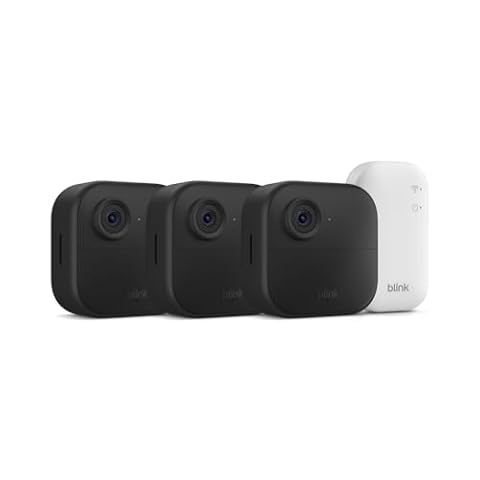
VicoHome Cam serves users who require an extensive multi-camera package featuring wireless battery power, color night vision, and outdoor-ready flexibility to cover perimeter entryways alongside interior rooms.
Blink Video Doorbell is ideal for homeowners looking specifically to monitor outdoor front door steps and entrance traffic with a combined video doorbell, extended multi-year battery life, and sync module hub support.

FAQ
Does the eufy 2K Indoor Cam E220 stream in 2K when connected to Apple HomeKit?
No, the listing specifies that video streaming and recording drops to 1080p resolution while operating within Apple HomeKit due to platform integration requirements, even though native camera capture remains 2K.
Can this camera tell the difference between pets and human family members?
Yes, the camera features on-device artificial intelligence specifically engineered to distinguish between human and animal shapes, recording and notifying you only when relevant activity takes place.
Is the eufy 2K Indoor Cam E220 powered by rechargeable batteries?
No, this model uses corded electric power drawing 30 watts, requiring a continuous physical connection to an electrical outlet for continuous operation.
Does the camera follow moving subjects automatically?
Yes, once movement triggers the detection sensor, the camera mechanically pans and tilts to follow the moving object across its 360-degree horizontal coverage area.
Can this indoor camera be used outside?
Although the product specifications note an IP65 waterproof rating, the manufacturer listing explicitly designates this camera for indoor usage, such as living rooms, hallways, bedrooms, and home offices.