As Amazon Associates, we earn from qualifying purchases. This means we may receive a small commission at no extra cost to you if you click through and make a purchase.
If you own a compatible digital deadbolt, the Veise G1 Gateway serves as the dedicated wireless bridge required to link your door hardware to your home network. Most digital keypad deadbolts operate over localized Bluetooth connections, which function reliably when you stand within several paces of your entrance but sever communication once you leave. Adding a dedicated bridge bridges the transmission gap between local low-energy signals and your household router, allowing you to monitor and control entry status from virtually anywhere.
Determining whether this accessory is necessary depends on how you manage your property, whether you require real-time entry logs, and which specific deadbolt model you have installed. In this detailed guide, we evaluate the core capabilities of the hub, examine its pass-through electrical design, review wireless range limitations, and outline the setup sequence within the companion application. We also cover system requirements and compare alternative hardware options so you can make an informed purchasing decision.
What You Get With the Veise G1 Gateway
Veise G1 Gateway


Photographs published on the Amazon listing.
The retail package supplies the primary bridge unit alongside the essential instructional documentation required to get the device connected to your home network.
- Veise G1 smart lock gateway bridge with integrated pass-through wall receptacle
- User manual outlining technical specifications, safety guidelines, and step-by-step pairing procedures
- Hardware support designed to bridge up to 3 compatible smart locks simultaneously
- Native compatibility with the KK Home App ecosystem for remote access management
- Integration capabilities for hands-free voice control via Amazon Alexa and Google Assistant
- Integrated North American flat plug adapter supporting 100V to 240V electrical systems at 10A (up to 2200W)
- Standard one-year limited warranty coverage backed by an optional one-year extension upon product registration
- Customer support access including United States telephone coverage six days a week and continuous email service
Key Specifications
Feature
Specification Detail
- Brand
- Veise
- Model Number
- G1
- Physical Dimensions
- 2.3 x 2.3 x 2.3 inches
- Network Requirement
- 2.4 GHz Wi-Fi only
- Supported Mobile Application
- KK Home App
- Lock Capacity
- Up to 3 smart locks per single gateway
- Maximum Lock Distance
- Within 32 feet (10 meters)
- Pass-Through Electrical Rating
- 100V-240V, 10A, maximum 2200W
- Voice Assistant Support
- Amazon Alexa and Google Assistant
- Customer Support Coverage
- US phone support (Mon–Sat) and 24/7 email assistance
Copied from the Amazon listing. These figures were not measured here.
App Features and Veise Gateway Remote Unlock
The primary reason to introduce this hardware into your home is establishing consistent Veise gateway remote unlock functionality. Without a network hub, a smart deadbolt relies strictly on Bluetooth or manual keypad entry. By deploying this Veise smart lock wifi gateway, you establish a persistent communication channel between the lock and the cloud. This allows you to trigger lock and unlock actions directly through the KK Home App regardless of whether you are sitting in your living room, commuting from work, or traveling across the country.
Remote locking is only one element of daily operation. The bridge continuously relays hardware telemetry back to your smartphone, providing push notifications whenever someone accesses the door. Users can review real-time access logs to confirm when family members arrive home or check whether service workers have departed. Furthermore, remote battery monitoring eliminates the guesswork surrounding lock maintenance, warning you well before low voltage impacts deadbolt performance. Much like how specialized protocol adapters such as the shelly blu gateway bridge peripheral devices to broader network environments, this unit ensures your lock data remains continuously available.
System capacity is another notable advantage for multi-door households. The manufacturer specifies that a single Veise G1 Gateway can link up to three compatible deadbolts simultaneously. Specifically designed as a Veise G1 gateway for KK Home App models, it pairs directly with deadbolt references VE017, VE017-H, VE017-L, VE017-B, VE017-D, VE018, and VE019. If your exterior doors use these specific models within the allowed physical radius, you do not need to install separate network bridges for each entryway.
Installation Requirements and Placement Range
Proper physical placement is vital during the Veise G1 gateway setup sequence. The bridge uses dual wireless protocols: standard 2.4 GHz Wi-Fi to communicate with your home router, and localized low-energy Bluetooth to communicate with the door lock. The manufacturer guidelines clearly state that the distance between the gateway and the deadbolt must remain within 32 feet, or approximately 10 meters. Solid wood doors, interior drywall, and metal framing reduce signal transmission, meaning placing the adapter as close to the entryway as practical yields the most dependable performance.
Network compatibility requires careful attention during initial configuration. The internal radio strictly requires a dedicated 2.4 GHz Wi-Fi frequency for pairing. Modern dual-band and mesh wireless routers that automatically steer devices between frequencies can occasionally disrupt setup if the 5 GHz band shares the exact same network name. Temporarily separating wireless bands or pausing the 5 GHz transmission ensures the gateway discovers your network seamlessly during initial onboarding.
Following the correct procedural order inside the software guarantees smooth installation. Users must first plug the bridge into a wall receptacle and add the Veise G1 Gateway into the KK Home App before attempting to link door locks. Once the software registers the bridge on your local network, you can then proceed to pair your existing deadbolts. Those familiar with smart infrastructure rollouts, such as deploying a liftmaster 828lm internet gateway for garage automation, will recognize that establishing the central bridge connection first is standard procedure across remote access hardware.
Smart Plug Functionality and Voice Control Integration
Physical outlet obstruction is a common frustration with dedicated smart home bridges, as bulky adapters often render adjacent wall receptacles unusable. The Veise G1 smart plug design bypasses this dilemma entirely. Measuring a compact 2.3 by 2.3 by 2.3 inches, the square cube form factor occupies a single socket without overlapping neighboring plugs. Because it features a built-in pass-through AC receptacle supporting standard North American flat plugs, you do not forfeit outlet availability when installing the bridge in high-traffic hallways or entry foyers.
The electrical pass-through specifications are robust enough to handle general household loads. Supporting a wide input voltage of 100V to 240V at 10A, the socket accommodates up to 2200W of electrical draw. This makes it practical for powering smartphones, tablet charging docks, floor lamps, or small home appliances right at the location where your bridge is plugged in. For homeowners who manage localized power alongside automation hardware, similar to monitoring current with a shelly plus 1pm switch, having reliable electrical throughput in a small chassis adds practical everyday utility.
Hands-free management represents another major upgrade unlocked by the hub. Once successfully paired, the system delivers Veise G1 Alexa compatibility along with Google Assistant support. Through these integrations, you can issue voice commands to lock or unlock your deadbolt using compatible smart speakers or display hubs. This voice control functionality simplifies routines when your hands are full carrying groceries or when you want to verify that your front entrance is secured before going to sleep at night.
App Compatibility and Ecosystem Differences
Understanding ecosystem architecture is critical when evaluating a Veise G1 vs G2 gateway purchase. Many third-party deadbolts and earlier smart locks operate on universal platforms such as the TT Lock or DD Lock mobile applications. In contrast, the G1 is engineered specifically for hardware running under the proprietary KK Home App ecosystem. Attempting to link a KK Home deadbolt to an incompatible G2 network bridge will prevent pairing, leaving your door hardware stranded in local-only operation.
Verifying your exact deadbolt model number before purchasing prevents unnecessary installation headaches. The G1 bridge is built explicitly to support the VE017 family (including VE017-H, VE017-L, VE017-B, and VE017-D) along with the VE018 and VE019 series. If your current lock operates through a different companion app, you must look toward alternative gateway bridges engineered for those protocols rather than assuming all smart lock hubs share cross-platform compatibility.
Long-term support infrastructure also adds stability to this hardware investment. The bridge includes a standard 1-year limited warranty, but registering the product grants a complimentary 1-year extension for a total of two years of coverage. Veise maintains active US-based telephone support operational Monday through Friday from 9 AM to 5 PM and Saturday from 7 AM to 3 PM Pacific Time, accompanied by continuous 24/7 email assistance for troubleshooting pairing errors or connectivity interruptions.
Veise G1 Gateway Pros and Cons
Pros
- Supports up to three locks simultaneously
- Pass-through plug prevents losing an outlet
- Enables remote lock and unlock features
- Works with Alexa and Google Assistant
- Compact 2.3-inch square form factor
- Two-year warranty available with registration
Cons
- Requires a 2.4 GHz Wi-Fi network
- Only works with KK Home App models
- Must stay within 32 feet of locks
Check Veise G1 Gateway on Amazon
Is the Veise G1 Gateway Worth It
Deciding whether the Veise G1 Gateway is worth adding to your setup depends primarily on how heavily you rely on remote management. If your household only requires simple keypad entry and you are content checking the deadbolt manually before bed, the standalone lock functions adequately over local Bluetooth. However, if you frequently need to grant entry to visiting family, cleaners, or delivery couriers while away from home, the investment in this bridge is essential to unlock true remote access.
For rental hosts and busy families, the operational benefits far outweigh the initial setup effort. Real-time push notifications confirm entry events instantly, while access logs offer peace of mind when monitoring daily arrivals. The pass-through electrical socket eliminates the annoyance of losing an outlet in a strategic location, and the ability to control up to three distinct exterior locks from a single plug-in device maximizes overall utility across larger properties.
Ultimately, if you already own a compatible KK Home deadbolt, this hub delivers the missing wireless link needed to integrate your entrance into modern smart home routines. With reliable voice integration through Alexa and Google Assistant, robust electrical pass-through safety, and multi-lock pairing capacity, it serves as a highly functional, low-profile expansion for your home security system.
Other Options to Consider
Remote App Access is an alternative network hub built specifically as a G2 gateway for locks running on the TTLock and DDLock platforms over 2.4 GHz Wi-Fi, making it the appropriate pick for shoppers whose deadbolts operate on those specific mobile apps rather than the KK Home ecosystem.

Sifely Smart Lock Wi-Fi Gateway provides remote access and Alexa voice compatibility strictly for Sifely smart door locks via 2.4 GHz Wi-Fi, suiting users who own Sifely-branded door hardware instead of Veise locks.
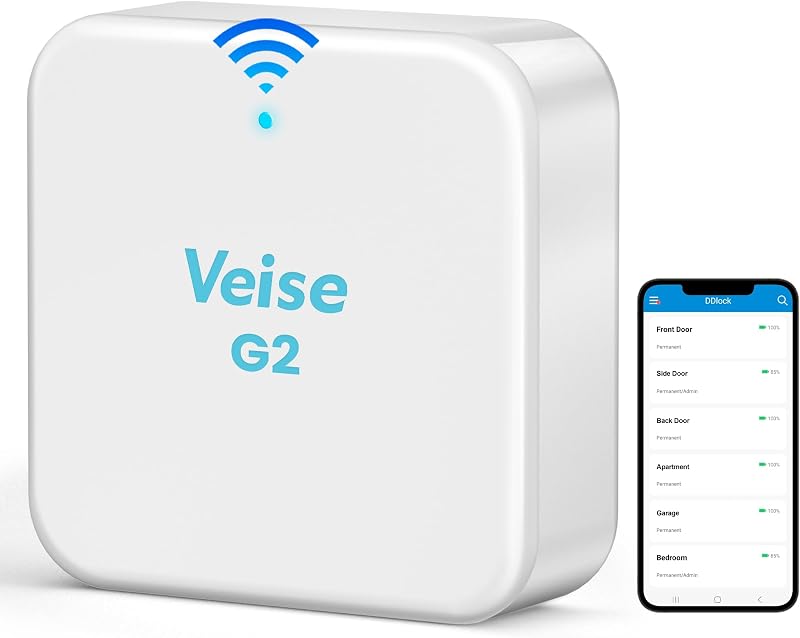
VeiseRemote Control is a dedicated G2 Wi-Fi gateway compatible with Alexa and Google Assistant that operates specifically with the DD Lock and TT Lock applications, catering to owners of older or alternative Veise models that do not utilize the KK Home App.
FAQ
Which deadbolt models work with the Veise G1 Gateway?
The Veise G1 Gateway is engineered specifically for Veise smart deadbolts operating within the KK Home App ecosystem. Supported models explicitly listed by the manufacturer include VE017, VE017-H, VE017-L, VE017-B, VE017-D, VE018, and VE019.
Can a single Veise G1 Gateway manage multiple locks?
Yes, one gateway can manage up to three compatible smart locks simultaneously, provided every lock remains within the recommended 32-foot (10-meter) operational transmission range of the plugged-in bridge.
Does the Veise G1 Gateway support 5 GHz Wi-Fi networks?
No, the gateway requires a 2.4 GHz Wi-Fi network connection for pairing and ongoing operation. If your router broadcasts both 2.4 GHz and 5 GHz bands, you must connect the bridge to the 2.4 GHz channel during the initial setup process.
What appliances can be plugged into the integrated power outlet?
The integrated smart plug adapter supports North American flat plugs with wide voltage compatibility ranging from 100V to 240V at 10A, supporting loads up to 2200W. It is suitable for powering cell phones, tablets, charging docks, floor lamps, and small household devices without blocking adjacent sockets.
What voice assistants can control smart locks through this gateway?
Once paired with your smart lock via the KK Home App, the bridge enables voice control through both Amazon Alexa and Google Assistant, allowing you to lock or unlock your door using hands-free voice commands.