
As Amazon Associates, we earn from qualifying purchases. This means we may receive a small commission at no extra cost to you if you click through and make a purchase.
Deciding on a wide-format craft cutter often comes down to workspace limits versus production ambitions, and the Silhouette Cameo 5 Pro is designed specifically for crafters who have outgrown standard 12-inch cutting beds. If you frequently find yourself piecing together multi-panel graphics, splitting iron-on designs across multiple rolls, or turning away oversized sign projects, a 15-inch format presents an immediate practical advantage. However, stepping up to a larger desktop unit means accommodating a machine that commands significant desk space and demands careful media management to maintain cutting accuracy across wide sheets.
In this detailed cameo 5 pro review, we examine the realistic day-to-day performance, physical engineering, and workflow changes you can expect when introducing this cutter into your studio. We explore the essential silhouette cameo 5 pro specs, evaluate how the automated blade system and specialized electrostatic holding technology behave during production, walk through the silhouette cameo 5 pro setup procedure, and analyze whether the broader cut path delivers enough efficiency to justify its physical presence in your creative room.
What You Get With the Silhouette Cameo 5 Pro
Silhouette Cameo 5 Pro


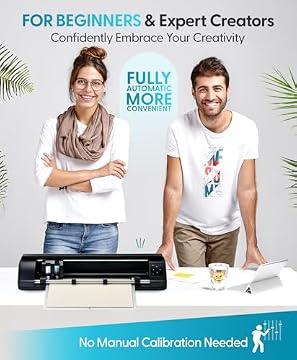
Photographs published on the Amazon listing.
The unit arrives as a dedicated cutting hardware package intended to interface with your existing computer setup through downloadable software. Silhouette includes core accessories designed to get the machine initialized and ready for automated cutting straight out of the packaging.
- Silhouette Cameo 5 Pro wide-format digital cutting machine in black
- Silhouette AutoBlade dynamic cutting module with automated depth adjustment
- Electrostatic mat compatibility designed for flat, curl-free sheet stabilization
- Silhouette Studio software access featuring native vector layout and editing tools
- Digital library package including 100 preloaded designs for immediate project testing
- One-month subscription access to the digital Silhouette Design Store
- Automated Power Slide Lid mechanism built into the chassis for protective operation
Key Specifications
Attribute
Detail
- Brand
- Silhouette America
- Model Number
- SILH-CAMEO-4-WHT-4T
- Operation Mode
- Automatic
- Maximum Cutting Width
- Up to 15 inches
- Active Surface Area
- 15 in. x 16 ft.
- Maximum Cutting Speed
- Up to 400 mm/s
- Physical Dimensions
- 6.94"D x 25.28"W x 4.89"H
- Total Item Weight
- 12.7 pounds
- Chassis Material
- Metal construction
- Optical Alignment
- 4-point registration mark system
Copied from the Amazon listing. These figures were not measured here.
Workspace Footprint and Physical Build Quality
Accommodating a desktop machine that measures over 25 inches across requires deliberate studio planning. The Silhouette Cameo 5 Pro measures 25.28 inches wide, 6.94 inches deep, and 4.89 inches high, requiring a dedicated tabletop surface that provides ample clearance both in front of and behind the chassis. Because the unit accommodates media extending up to 16 feet in length, you must ensure that continuous rolls or large sheets have an unobstructed path to feed and discharge without catching on table edges, walls, or surrounding gear.
Constructed with a metal chassis, the machine weighs 12.7 pounds, giving it substantial structural rigidity while remaining light enough to reposition when necessary. This rigid framework plays a critical role in minimizing lateral chassis flex, which is a common hazard when driving wide cutting carriages back and forth at elevated speeds. Compared to smaller format plotters such as the silhouette cameo 5 alpha, the widened span places greater mechanical demands on the internal rollers and guide rails, making the solid metal frame an essential element of the build.
One notable physical design addition is the motorized Power Slide Lid. Instead of swinging upward on a manual hinge that requires overhead clearance beneath low shelving, the protective cover slides open and shut automatically. This enclosed mechanism helps keep airborne lint, adhesive debris, and household dust off the carriage rails, drive belts, and optical sensors when the unit sits idle between crafting sessions.
Cutting Capacity and the Electrostatic Mat System
The defining capability of this model is its generous cameo 5 pro cutting width, which spans up to 15 inches of continuous active space. This extended width eliminates the recurring necessity of tiling large vehicle decals, oversized wall lettering, and adult apparel heat transfers across standard 12-inch sections. Crafters running the cameo 5 pro for vinyl decals can lay out broader graphics in a single continuous file, saving considerable assembly time and ensuring accurate pattern registration across wide banners.
Handling delicate or thin materials across a broad area presents distinct physical challenges, most notably paper curling, bubbling, and blade drag. Silhouette addresses this through support for an electrostatic mat, which secures media up to 0.5mm thick using an electrical charge rather than a conventional sticky adhesive layer. Because there is no tacky residue pulling on the underside of your stock, lightweight materials such as specialty vellums, thin foils, and delicate papers lift off completely flat without tearing, curling, or leaving residue behind.
Tool management is driven by the silhouette cameo 5 pro autoblade, an automated blade module that adjusts its exposure depth based on software presets before initiating a cut. The carriage taps into a calibration slot on the chassis base to click the blade into its designated position automatically. This eliminates manual blade turning, reducing operator error and ensuring uniform cut depth across media ranging from thin outdoor adhesive film to lightweight craft fabric.
Speed, Precision, and Daily Production Workflow
Production velocity is a major consideration for anyone managing high-volume batch work, and this machine delivers cutting speeds reaching up to 400 millimeters per second. Moving at this rate enables the blade to clear lengthy typographic runs and complex geometric cutouts significantly faster than legacy hobby cutters. Silhouette pairs this driving speed with ultra-quiet operational mechanics, minimizing the harsh mechanical whines and stepper motor squeals that often dominate long desktop cutting sessions.
Precision across wide distances relies on Silhouette’s updated 4-point registration mark system. When executing print-and-cut tasks like product labels, graphic stickers, or apparel emblems, the optical carriage scanner reads four designated reference points printed along the edges of the media. Checking four distinct coordinates allows the processing engine to calculate and compensate for subtle angular skews or paper expansion across the 15-inch sheet before the blade ever contacts the surface.
Efficiency extends to iterative production through a Fast Sketch Mode and a dedicated one-touch job repeat feature. If you use plotting pens or sketch tools to draw technical line art, Fast Sketch Mode optimizes carriage travel trajectories to outline figures in reduced time. For creators cutting multiples of identical decal sheets, the physical one-touch repeat button on the console lets you re-run the previous job directly at the machine without re-sending the data stream through your computer workstation.
Software Usability and Initial Setup Demands
Getting started involves completing the silhouette cameo 5 pro setup, which pairs the physical hardware with Silhouette Studio software. The initial configuration entails unpacking the unit, removing internal transport restraints, plugging in the power supply, and securing the cutting tool inside the motorized carriage lock. The listing indicates that the hardware package includes the cutting machine, software access, and bundled designs, while the listing does not specify detailed wireless Bluetooth configurations, making direct cable or standard local pairing the standard starting approach.
The companion Silhouette Studio software serves as the central control room for vector path generation, trace commands, and blade pressure settings. Unlike basic browser-based crafting utilities that offer restricted design controls, Studio provides a full-featured vector environment with advanced point-editing tools, offset creation, weld functions, and customizable cutting profiles. Beginners may face a learning curve when navigating these extensive tool palettes, but experienced designers benefit from the ability to create complex layered artwork without needing third-party vector editors.
Evaluating the cameo 5 pro vs standard cameo 5 highlights differences in media tracking and physical handling. Standard 12-inch machines are forgiving with minor media misalignment because the shorter roller span experiences less lateral drift over distance. On a 15-inch machine, loading material straight is essential; an uneven load of even a fraction of a millimeter will amplify as a roll feeds forward several feet. The included 100 digital designs and a one-month trial subscription to the Silhouette Design Store give you plenty of test files to practice loading alignment before tackling expensive production materials. Crafters comparing extended desktop units may also want to explore our breakdown of the silhouette cameo pro mk-ii to understand how different revisions manage heavy roll feeding.
Silhouette Cameo 5 Pro Pros and Cons
Pros
- Generous 15-inch cutting width for oversized graphics
- Fast cutting speeds reaching up to 400mm/s
- Electrostatic mat holds delicate stock without sticky residue
- AutoBlade adjusts depth automatically prior to cutting
- Rigid metal frame with motorized Power Slide Lid
- Ultra-quiet operation during heavy production runs
Cons
- Large 25-inch footprint demands dedicated tabletop clearance
- Wide media loading requires precise alignment to prevent drift
- Silhouette Studio software presents an initial learning curve
Check Silhouette Cameo 5 Pro on Amazon
Is the Silhouette Cameo 5 Pro Worth It
Whether this wide-format machine represents a sensible investment depends largely on the physical dimensions of the projects you produce on a regular basis. For makers running small signage businesses, creating oversized vehicle decals, or pressing large athletic apparel graphics, the 15-inch width eliminates the continuous friction of tiling files. The combination of 400 mm/s travel speed, electrostatic mat support for tear-prone media, and an automated blade makes it a highly capable centerpiece for an active craft production space.
Conversely, hobbyists who exclusively produce greeting cards, small scrapbook embellishments, or modest 12×12 vinyl decals will find the machine’s 25-inch footprint cumbersome for minimal functional gain. The expanded chassis demands permanent, deep table space that cannot be easily shared with other everyday desktop peripherals. If your crafting routine does not actively demand cuts wider than a foot, a smaller footprint model provides identical cutting software tools in a much more compact package.
For the intermediate or advanced crafter ready to master precise material feeding and leverage advanced vector software, the Cameo 5 Pro offers an effective bridge between entry-level craft cutters and massive commercial floor plotters. It delivers commercial-grade cutting widths while retaining the practical convenience and material versatility of desktop crafting hardware.
Other Options to Consider
VEVOR Vinyl Cutting Machine suits creators who want a dedicated 12-inch cutting platform featuring push-button physical controls, broad cross-platform compatibility across Windows, Mac, Android, and iOS, and an extensive collection of over 20,000 built-in design resources for everyday home decor projects.

Includes 30 images in Design suits casual crafters looking for an ultra-compact smart cutting setup centered around the Cricut Joy Xtra and its companion Design Space app, trading wide-format cutting capacity for minimal desk intrusion and simple digital bundle access.
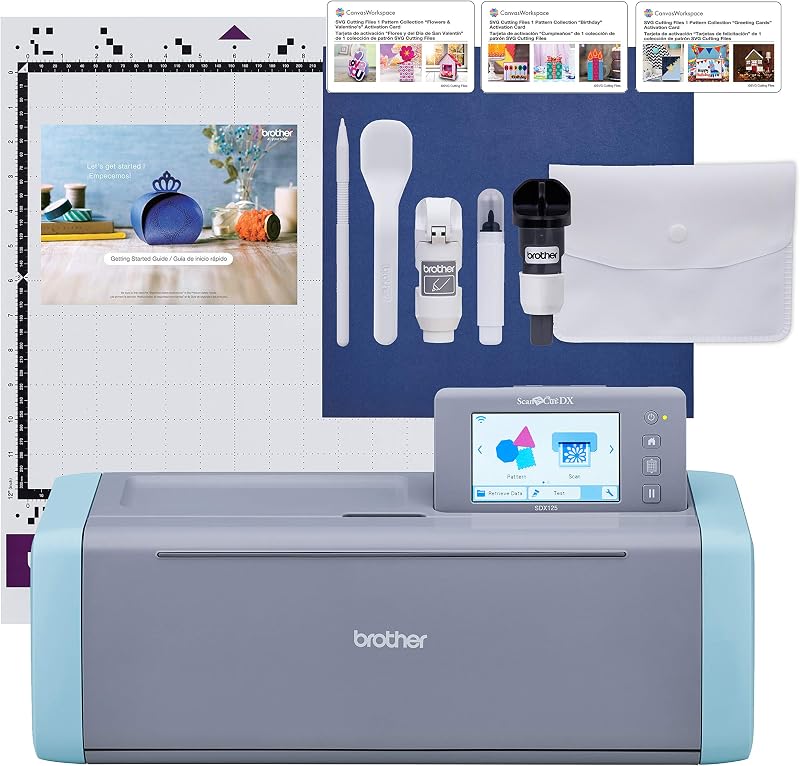
Brother SDX125E ScanNCut Electronic Cutting suits papercrafters and quilters who prioritize standalone scanning capabilities alongside electronic cutting, allowing users to scan hand-drawn sketches or printed imagery directly without relying entirely on external computer software.
FAQ
What is the maximum cutting width of the Silhouette Cameo 5 Pro?
The machine provides an active cutting width of up to 15 inches. It can handle media roll lengths reaching an active surface area of up to 15 inches wide by 16 feet long for continuous graphic banners.
How does the electrostatic mat differ from standard cutting mats?
Instead of relying on a sticky adhesive surface that can tear thin paper or leave residue, the electrostatic mat uses electrical static force to hold materials up to 0.5mm thick securely in place, keeping them completely flat without curling upon removal.
Can the machine cut without a computer connected?
The Cameo 5 Pro features a physical one-touch job repeat button that allows you to cut duplicates of the previous job directly at the machine console. However, initial design setup, path generation, and file transmission require Silhouette Studio running on a compatible computer.
What materials can the AutoBlade cut on this model?
The AutoBlade handles standard crafting media including adhesive vinyl, heat transfer film, cardstock, and lightweight fabrics. The blade depth is adjusted automatically by the carriage mechanism tapping against the machine base prior to cutting.
How fast does the Silhouette Cameo 5 Pro cut?
The unit achieves cutting speeds of up to 400 millimeters per second. It also features a specialized Fast Sketch Mode that accelerates pen drawing and line art workflows.


