
As Amazon Associates, we earn from qualifying purchases. This means we may receive a small commission at no extra cost to you if you click through and make a purchase.
Looking for an accessible starting point in desktop fabrication often leads shoppers straight to the Entina Tina2S. Designed as a fully assembled entry-level machine, this unit aims to remove the intimidating mechanical hurdles that usually discourage novices and parents. If your primary goal is finding a straightforward 3d printer tina2s model that fits on a tight student desk without demanding manual wiring or complex calibration, this compact machine delivers a remarkably quick pathway from unboxing to your first completed object. It is configured specifically for smaller household models, STEM classroom projects, and hobby miniatures, making it a distinct alternative to sprawling workshop machines.
In this detailed entina tina2s review, we examine everything the machine offers, from its compact footprint and motion system to its daily operational strengths and natural trade-offs. We will break down how the wireless connection operates, what to expect from the flexible heated spring steel plate, and how the physical build boundaries impact your printing projects. The following sections walk through the included hardware, technical specifications, real-world usability concerns, competitive alternatives, and common questions to help you determine if this machine matches your creative needs.
What You Get With the Entina Tina2S
Entina Tina2S


Photographs published on the Amazon listing.
The Entina Tina2S is packaged as a ready-to-run package geared toward minimizing initial setup friction, ensuring that users can transition immediately from unpacking the box to extruding material without sourcing third-party tools or hardware. The listing emphasizes convenience and ease of use for educational settings, homes, and younger makers.
- Fully assembled and factory pre-calibrated mini 3D printer chassis in green plastic housing
- Heated spring steel build plate designed with flexible material for simple model detachment
- Integrated automatic bed leveling sensor system for consistent first-layer laying without manual bed knobs
- Dual Z-axis lead screw structure engineered to minimize mechanical vibration during operation
- Quick-swap nozzle mechanism designed for simplified maintenance and reduced nozzle replacement downtime
- Multi-format connectivity package supporting Wi-Fi wireless transfer, smartphone app control, direct USB connection, and offline TF card printing
- Low-noise motherboard and optimized cooling fan assembly tailored for quiet living spaces and classrooms
- Enclosed structural housing with built-in internal LED lighting to observe active print progress safely
- Access to the Poloprint Cloud app ecosystem featuring a library of over 1,500 ready-to-print 3D models and Creative Hub STEM tools
Key Specifications
Attribute
Specification Detail
- Brand
- Entina
- Manufacturer
- Entina
- Build Volume
- 3.9 x 4.7 x 3.9 inches
- Product Dimensions
- 11.4 x 8.6 x 8.6 inches
- Item Weight
- 9 pounds
- Maximum Print Speed
- Up to 200 mm/s
- Layer Resolution
- 0.04 mm
- Print Surface
- Heated flexible spring steel build plate
- Leveling Method
- Automatic bed leveling
- Connectivity
- Wi-Fi, Mobile App, USB, TF Card
- Compatible Software
- Poloprint Cloud, WiBuilder, Cura, Simplify3D
- Compatible Devices
- Laptop
Copied from the Amazon listing. These figures were not measured here.
Setup Process and Out of the Box Readiness
A frequent deterrent for new hobbyists entering additive manufacturing is the tedious multi-hour assembly process required by typical kit printers. The tina2s 3d printer circumvents this barrier by arriving as a completely built unit out of the box. Because the frame, motion axes, and hotend assembly are already aligned and secured at the factory, buyers do not have to mess with loose timing belts, bolt alignment, or wiring harnesses. You essentially pull the 9-pound unit from its protective foam, verify the interior is clear of packaging, attach the filament guide, and connect the power cord.
A crucial factor in this rapid deployment is the tina2s auto leveling system. Traditional manual bed tramming requires adjusting thumbscrews under the build platform with a piece of paper, a skill that takes patience and practice to master. The Tina2S uses automated sensor-driven leveling that compensates for surface variations across the heated spring steel sheet, ensuring that your first print layer adheres firmly. For parents setting up a mini 3d printer for kids or teachers outfitting a lab, this automated routine significantly lowers the learning curve and prevents common first-layer failures.
Once powered on, loading material into the extruder is straightforward. The quick-swap nozzle assembly simplifies both initial feeding and future maintenance, resolving one of the most stressful parts of printer ownership. If a partial clog occurs or the hotend requires service, the modular nozzle setup allows users to swap components without tearing apart the entire print head. This thoughtful physical layout ensures beginners spend their initial hours actually printing rather than troubleshooting mechanical alignments.
Physical Build Volume and Print Sizing Constraints
When evaluating this machine, the most significant mechanical parameter to understand is the physical size of the print envelope. The listed tina2s build volume measures exactly 3.9 by 4.7 by 3.9 inches (approximately 100 by 120 by 100 mm). While this compact chamber keeps the overall unit footprint down to an ultra-portable 11.4 by 8.6 by 8.6 inches, it inherently restricts the scope of what you can fabricate in a single session. Shoppers looking to print full-scale cosplay helmets, massive storage organizers, or large mechanical assemblies will find the bed dimensions restrictive compared to expansive hobby beds like the elegoo neptune 4 max 3d printer.
However, this tight capacity is intentional and aligns directly with its mission as an educational and introductory tool. The 3.9 by 4.7 by 3.9 inch envelope is generous enough to handle small decorative figurines, tabletop roleplaying game tokens, replacement cabinet clips, jewelry components, and articulated miniatures like a t13 3d printed toy. By restricting the print size, the printer reduces overall thermal consumption, heats the spring steel plate rapidly, and minimizes print times so younger students can see project results before losing interest.
Another benefit of this smaller build area is the structural rigidity it affords the machine. Compact cantilever or dual-column frames flex significantly less across shorter spans than massive gantry setups. Because the heated spring steel sheet spans under five inches, keeping the bed completely level and maintaining consistent heat dissipation across the entire surface is far easier. Once a print finishes, the removable spring sheet can be flexed with two hands, snapping prints off cleanly without dangerous scraping scrapers.
Software Ecosystem and Wireless Connectivity Options
Connectivity flexibility plays a central role in how easily a beginner adopts 3D printing, and the tina2s wifi app setup provides multiple operating pathways. For users who prefer a streamlined smartphone workflow, the machine pairs with the Poloprint Cloud app over Wi-Fi. The cloud platform contains an integrated library of over 1,500 pre-sliced and ready-to-print models, alongside a Creative Hub designed to inspire simple STEM learning exercises. This app-centric approach allows kids and beginners to select a model directly from a tablet or phone and send it wirelessly to the machine without touching a traditional desktop slicer.
For makers who want to advance past simple cloud repositories and slice custom 3D files, the Tina2S maintains compatibility with industry-standard software including Cura, Simplify3D, and WiBuilder. Connecting a laptop or desktop computer is supported via direct USB cable, or users can export G-code files directly onto an offline TF card for standalone operation. This offline option is especially valuable in school environments or workshop spaces where institutional Wi-Fi networks feature strict login firewalls that prevent IoT devices from establishing direct wireless handshakes.
Having broad slicer support also ensures that users are not locked into a closed software garden as their CAD skills progress. While dedicated enclosed educational platforms like the flashforge 3d printer pro provide specialized standalone slicing tools, the Tina2S gives learners the freedom to explore standard slicing profiles in Cura. You can customize infill percentages, adjust support density, alter wall counts, and fine-tune print parameters to achieve precise physical results on technical prototypes.
Print Speed Motion System and Mechanical Stability
Despite its modest size, the Tina2S boasts capable internal motion components. According to the manufacturer specifications, the unit can reach print speeds of up to 200 mm/s while retaining a fine vertical layer resolution down to 0.04 mm. While printing at the top end of the speed range generally requires optimal filament flow and straightforward geometry, having the capability to run at elevated speeds ensures that simple classroom parts finish in a fraction of the time required by older generation desktop units.
Maintaining print clarity at higher speeds requires a rigid chassis, which is why Entina incorporated a dual Z-axis structure into the Tina2S. In budget desktop machines, single Z-axis lead screws are common cost-cutting measures, but they often allow the unconstrained side of the X-axis gantry to sag or vibrate, creating uneven layer lines. The dual Z-axis setup on the Tina2S stabilizes the vertical motion on both sides of the frame, minimizing mechanical play and delivering smooth, uniform outer perimeters on toys, miniatures, and engineering parts.
Acoustic performance and user comfort are also factored into the mechanical package. The printer features a low-noise motherboard paired with an optimized cooling fan system designed to keep motor whine and blower noise to a whisper. Combined with its semi-enclosed plastic exterior and internal LED lighting, the Tina2S can operate quietly on a desk or classroom workbench during study periods without causing an acoustic distraction.
Entina Tina2S Pros and Cons
Pros
- Fully assembled and pre-calibrated out of the box
- Heated flexible spring steel plate for easy model removal
- Automated bed leveling for reliable first layers
- Wireless printing with mobile app and 1500+ models
- Dual Z-axis structure for improved print stability
- Modular quick-swap nozzle design simplifies maintenance
Cons
- Compact 3.9 x 4.7 x 3.9 inch build envelope
- Chassis constructed predominantly of plastic material
- Limited to laptop or mobile device workflow integration
Is the Entina Tina2S Worth It
Determining whether the Entina Tina2S represents the right investment comes down to your expectations regarding build scale and user independence. If you are shopping for a child, a student, or a first-time hobbyist who wants to experience 3D printing without mastering complicated mechanical assembly, bed leveling math, or hardware soldering, the answer to is entina tina2s worth it is an emphatic yes. The out-of-the-box readiness, automated calibration, flexible heated spring steel sheet, and mobile app control make it one of the most accessible plug-and-play desktop tools available.
On the other hand, experienced makers looking for high-temperature filament support, extensive volumetric output, or commercial batch manufacturing capabilities should look elsewhere. The 3.9 by 4.7 by 3.9 inch build chamber cannot accommodate large mechanical enclosures, full-size tools, or wearable cosplay props. For those broader applications, investing in a full-sized coreXY or large-format bed slinger provides the physical space required for ambitious designs.
Ultimately, the Tina2S hits an outstanding balance between entry-level simplicity and reliable mechanical execution. By prioritizing core beginner conveniences like dual Z-axis stability, quick-swap hotend components, and versatile multi-mode connectivity, Entina has built a functional, low-maintenance platform that lets newcomers focus on the creative joy of 3D printing rather than the frustrations of hardware calibration.
Other Options to Consider
MakerWorld Model Library serves users who prioritize high-speed CoreXY kinematics, multi-color filament feeding via an automatic material system, and integration with the expansive MakerWorld digital model repository rather than a single-material mini printer.

FLASHFORGE Adventurer 5M 3D Printer is tailored for makers who demand rapid 600 mm/s printing speeds, a larger 220x220x220 mm build volume, an all-metal CoreXY frame, and high-temperature extrusion capabilities up to 280°C with a 3-second detachable nozzle.
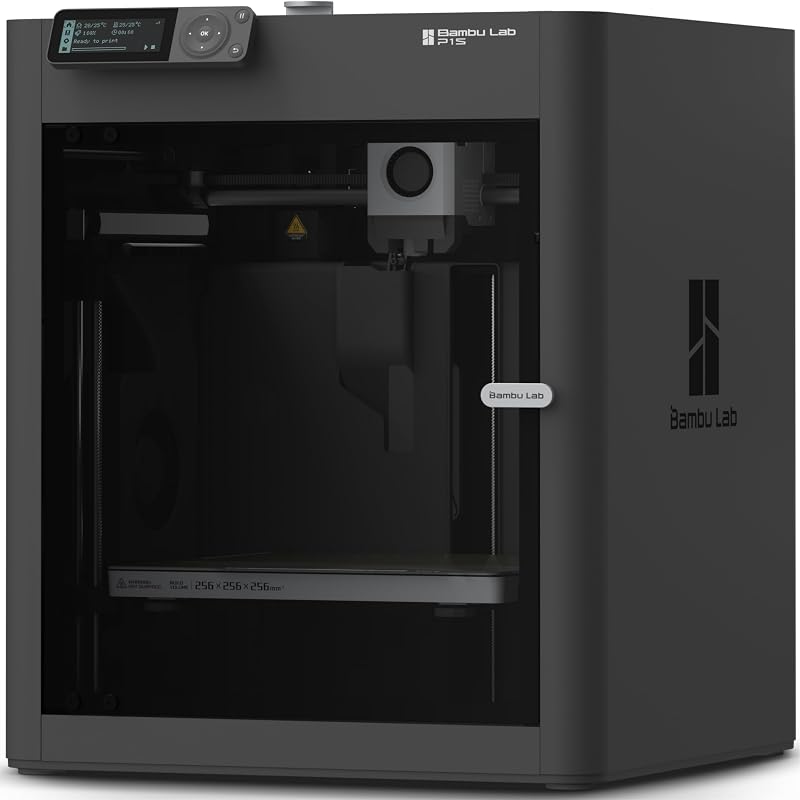
Beginner-Friendly Ecosystem with MakerWorld Model appeals to hobbyists looking for a fully enclosed CoreXY chamber that combines high-speed, high-precision FDM printing with ready-to-use access to MakerWorld files in a larger workspace.
FAQ
Does the Entina Tina2S require manual bed leveling?
No, the tina2s auto leveling system is integrated directly into the machine. It uses automated sensor-based bed leveling to ensure consistent first-layer deposition without requiring you to turn manual leveling knobs under the print platform.
What are the exact build volume dimensions of the Tina2S?
According to the official tina2s specs, the build volume measures 3.9 by 4.7 by 3.9 inches. This compact work area is designed primarily for educational projects, small figurines, miniatures, and everyday household trinkets.
Can I control the Tina2S using my smartphone?
Yes, the printer supports Wi-Fi wireless control through the Poloprint Cloud mobile app. Through the app, users can connect to the machine, manage active print jobs, and select from a library of more than 1,500 ready-to-print 3D models.
What slicer software works with the Tina2S?
The Tina2S is compatible with multiple slicing programs, including WiBuilder, Cura, and Simplify3D, in addition to the Poloprint Cloud app. This gives users full flexibility to create simple direct prints or configure complex custom print profiles on a laptop.
How do you remove completed prints from the build plate?
The Tina2S is equipped with a heated spring steel build plate. Because the steel sheet is magnetic and flexible, you can simply lift it off the platform and gently bend it with both hands to release finished models safely without scraping.
Is the Entina Tina2S suitable for classroom environments?
Yes, the Tina2S is designed specifically as a tina2s 3d printer for beginners and school use. It features an enclosed structural design for safety, a low-noise motherboard and cooling system for quiet operation, and internal LED lighting to observe prints without disturbing the class.


