
As Amazon Associates, we earn from qualifying purchases. This means we may receive a small commission at no extra cost to you if you click through and make a purchase.
If you already own or plan to install a Level smart lock, you quickly realize that the lock communicates primarily through Bluetooth out of the box, restricting management to the immediate perimeter of your doorway. The Level Connect solves this proximity limit by linking your existing deadbolt hardware directly to your household wireless network. Instead of leaving you disconnected when a family member arrives unexpectedly or when you need to confirm that your deadbolt is secured while sitting at the office, this compact plug-in unit acts as an intermediary radio translator. Choosing this accessory converts your localized electronic lock into a genuinely cloud-connected entry point that responds whether you are lounging in the backyard or traveling across the country.
Deciding whether you genuinely need the level connect wi-fi bridge depends on your daily household patterns and how much you value remote accessibility. If you only ever unlock the door when standing on the front porch with your smartphone in your pocket, the standard Bluetooth connection handles your day-to-day requirements without additional hardware. However, if your weekly schedule involves coordinating dog walkers, managing short-term visitors, monitoring when your kids arrive home from school, or executing hands-free voice routines through smart home assistants, an always-on bridge becomes an essential piece of hardware. This comprehensive review breaks down installation logistics, placement constraints, voice assistant integration, keypad management, and practical trade-offs so you can decide if it matches your home security needs.
What You Get With the Level Connect
Level Connect


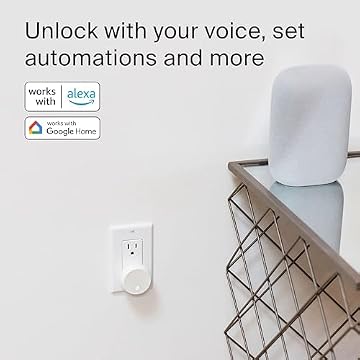

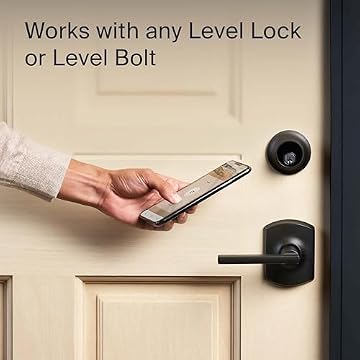

Photographs published on the Amazon listing.
The Level Connect ships as a focused, single-purpose hardware package designed to establish Wi-Fi connectivity for your compatible Level entry hardware without adding clutter, trailing wires, or complex hub equipment to your living space.
- Level Connect wireless bridge hardware unit
- Integrated standard North American two-prong wall plug
- Direct wireless pairing support for Level Lock+, Level Bolt, Level Lock, and Level Lock – Touch Edition
- Comprehensive setup documentation with pairing instructions
- Manufacturer packaging built to protect the internal radio components during transport
Key Specifications
Reviewing the published level connect specs helps confirm that your home’s electrical outlets, network bands, and existing smart hardware align with manufacturer requirements before you begin setup.
Specification Attribute
Manufacturer Detail
- Brand Name
- Level
- Manufacturer
- Level Home Inc.
- Model Number / Part Number
- C-S11U
- UPC
- 850009337238
- Connectivity Protocol
- Wi-Fi (2.4GHz band only)
- Lock Compatibility
- Level Lock+, Level Bolt, Level Lock, Level Lock – Touch Edition
- Pairing Capacity
- 1-to-1 connection (one bridge per lock)
- Power Connection
- Standard US wall outlet plug
- Controller Platforms
- iOS, Android (Level Home app)
- Smart Assistant Ecosystems
- Amazon Alexa, Google Home
Copied from the Amazon listing. These figures were not measured here.
Level Connect Setup and Placement Requirements
The physical setup of this bridge is straightforward and tool-free, designed to be completed in just a few minutes without mounting brackets, drilling, or running extension cables. The unit plugs straight into any standard US wall outlet and initiates pairing directly through the Level Home app on iOS or Android. Because the hardware relies entirely on wireless data paths, the physical position of the electrical outlet you choose is critical. You must locate a standard wall receptacle that sits within 20 feet of your Level lock while remaining within stable range of your primary wireless router.
Network compatibility is another crucial detail during the level connect setup process. The bridge hardware operates strictly on a 2.4GHz Wi-Fi frequency band. While 2.4GHz signals travel through household walls and solid doors better than higher frequencies, many modern dual-band mesh routers broadcast unified network names that bundle both frequencies together. When setting up your bridge, you must ensure your smartphone and lock connect to that 2.4GHz band so the bridge successfully completes its handshake. Managing smart utilities often requires paying close attention to dedicated frequency bands, much like how configuring a whynter portable air conditioner inverter 14000 btu smart wi-fi arc-1230wn depends on a stable wireless connection to maintain scheduled cooling routines across your home.
Once inserted into the wall outlet, the bridge establishes a constant bridge between its local low-energy radio link to the lock and your home Wi-Fi network. Because no tools or wall anchors are required, repositioning the device is as simple as unplugging it and moving it to another nearby socket if wall composition or entryway furniture interferes with signal reception. Taking time during the initial installation to select an outlet with minimal physical obstructions between the plug and the deadbolt will provide the most responsive app communication.
Level Lock Remote Access and Platform Integration
The primary benefit of adding this bridge is achieving dependable level lock remote access from anywhere in the world with cellular or internet coverage. When using a Level deadbolt solely over Bluetooth, you are unable to check deadbolt status once you drive away from your driveway. With the bridge connected, opening the Level Home app allows you to see live status indications, confirm whether the door is securely locked, and initiate remote unlock commands instantly. This capability proves invaluable when trusted service providers, house cleaners, or visiting friends arrive while you are away from the property.
Smart platform management expands substantially through level connect alexa integration. After linking your Level account within the Amazon Alexa app, you can incorporate your front door into existing voice commands and household automation sequences. If you are preparing dinner in the kitchen and guests ring the doorbell, a simple voice command like Alexa, unlock the front door spares you from walking over to manually turn the thumbturn. You can also incorporate your deadbolt into bedtime automations that ensure all home entry points lock down automatically when you issue a goodnight command to your smart speaker.
For homes built around the Google ecosystem, level connect google home support provides identical hands-free convenience. Using Hey Google voice prompts through compatible smart displays, speakers, or the Google Home mobile application, you can query whether the deadbolt is engaged or command it to latch securely. Integrating access control with your voice ecosystem streamlines everyday routines and keeps your security status unified alongside other household devices. Maintaining this degree of hands-free control mirrors the convenience of running indoor environmental appliances like the levoit core 300-p, where automatic and responsive operation simplifies routine domestic maintenance.
Level Connect Range and Device Limitations
Operating boundaries represent the most important limitation to understand before purchasing this bridge. The manufacturer specifies that the level connect range between the bridge and the paired lock must not exceed 20 feet. Because Bluetooth signals degrade quickly when passing through dense building materials, metal door frames, or thick plaster walls, placing the bridge at the outer edge of this 20-foot perimeter can introduce signal latency or sporadic disconnections. Finding an unblocked outlet situated in an adjacent hallway, entryway foyer, or living room wall close to the entrance yields optimal performance.
Another major architectural constraint centers on level connect compatibility and device pairing limits. The Level Connect operates on a strict 1-to-1 pairing ratio. This means one bridge communicates with exactly one Level lock or Level Bolt. If your home features a front entrance, a side garage access door, and a rear patio slider all fitted with Level locks, a single bridge cannot serve all three doors. You must purchase, place, and configure a separate Level Connect bridge within 20 feet of each individual lock to bring every entrance online.
Planning electrical socket availability is therefore necessary if you manage multiple smart entry doors. Each bridge permanently occupies one wall socket space within that strict 20-foot radius. In homes where power outlets near exterior doors are already occupied by accent lamps, holiday lighting, or seasonal cooling hardware like an eco wave 3 system, you must allocate a permanent outlet position specifically for this bridge. Evaluating your wall outlet layout before ordering guarantees you will not be forced to reposition furniture or compromise device proximity.
Managing Keypad Codes and Everyday Operation
For homeowners who pair their smart deadbolt with the optional Level Keypad, adding this bridge introduces substantial operational benefits. Without a bridge, generating new guest codes, adjusting keypad time restrictions, or deleting old access combinations requires your mobile phone to be physically next to the lock over Bluetooth. With the bridge maintaining an active cloud link, you can manage access codes remotely. If a plumber or contractor needs immediate entrance while you are away, you can generate a personalized entry code inside the Level Home app and provide it immediately.
Real-time activity logs also shift from delayed historical updates to instant event reporting. When operating on Bluetooth alone, the lock only uploads its history log when a paired phone connects locally. With an active Wi-Fi link, every lock actuation, keypad entry, and manual turn registers in your mobile app activity feed as it happens. This real-time reporting lets parents know the exact minute their children return home from school, providing peace of mind without needing secondary entryway security cameras.
The bridge provides exceptional value when installed as a level connect for level bolt setup. The Level Bolt replaces your deadbolt interior components while preserving your original exterior deadbolt housing and antique hardware completely invisible to the outside. Because the Level Bolt has no exterior electronics or touch sensors, pairing it with the bridge equips an invisible lock with modern Wi-Fi capabilities, remote access controls, and voice assistant support without altering your home’s exterior aesthetic in any way.
Level Connect Pros and Cons
Pros
- Tool-free wall plug installation
- Enables remote lock and unlock
- Works with Alexa and Google Home
- Allows remote keypad code management
- Compatible with all Level lock models
Cons
- Requires outlet within 20 feet
- Strict 1-to-1 lock pairing limit
- Supports 2.4GHz Wi-Fi bands only
Is the Level Connect Worth It
Deciding is level connect worth it comes down to how your household interacts with your exterior doors and smart home platforms. If you purchased a Level lock purely for localized key-free access using your smartphone, touch-to-unlock features, or physical key fobs, the native Bluetooth hardware handles those tasks without spending extra money. Buyers living in compact apartments where they are never far from the entrance door rarely find remote unlocking necessary for their daily routine.
On the other hand, the bridge transforms the user experience for families, rental hosts, frequent travelers, and smart home enthusiasts. The ability to verify deadbolt status while sitting in an airport terminal, let in delivery drivers or dog sitters remotely, and tie your lock into comprehensive Amazon Alexa or Google Home bedtime automations justifies the single-device setup. Having remote keypad code management alone eliminates the frustration of rushing home to hand over a physical key.
Ultimately, the Level Connect delivers exactly what it advertises: a clean, discreet, tool-free hardware bridge that equips Level deadbolts with dependable cloud connectivity. As long as you have an available 2.4GHz Wi-Fi band and an open wall outlet within 20 feet of your deadbolt, adding this bridge turns a locally restricted lock into a capable, fully featured smart home entry system.
Other Options to Consider
PtP WiFi bridge for farms suits property owners who need to transmit high-speed wireless network signals over long outdoor distances between barns, outbuildings, or Starlink installations using high-gain directional antennas and weatherproof housing rather than connecting an indoor door lock.

Preconfigured serves enterprise and commercial network administrators who require an Omada-managed point-to-point and point-to-multipoint wireless bridge kit with Power over Ethernet support and outdoor lightning protection for expanding building-to-building network infrastructure.
VONETS VAP11G-300 WiFi Bridge 2.4GHz fits shoppers searching for a versatile 2.4GHz wireless-to-Ethernet bridge and repeater powered by USB or DC to connect legacy wired devices, IP security cameras, printers, and PLC hardware directly to a standard wireless network.

FAQ
Can one Level Connect bridge support multiple locks in my home?
No, the bridge operates on a strict 1-to-1 connection. You must pair a single Level Connect bridge to a single Level lock. If your house has multiple Level deadbolts, each individual lock requires its own dedicated bridge plugged in within 20 feet.
How far away can I plug the bridge from my Level lock?
The bridge must be installed in a standard US wall outlet within 20 feet of the paired lock. Maintaining an unobstructed direct line of sight provides the strongest connection between the bridge and your deadbolt.
Does the Level Connect require tools or wiring to install?
No tools or electrical wiring are required. The hardware features integrated prongs that plug directly into a standard wall socket, and network pairing is handled wirelessly inside the Level Home mobile app.
Can I lock and unlock my door using voice commands?
Yes, pairing the bridge with Amazon Alexa or Google Home enables hands-free voice commands such as asking Alexa to unlock the front door or using Hey Google prompts to check lock status.
What Wi-Fi network frequency does the bridge support?
The bridge connects exclusively to a standard 2.4GHz Wi-Fi band. It does not connect to 5GHz networks, so your home router must provide an active 2.4GHz wireless channel.


