
As Amazon Associates, we earn from qualifying purchases. This means we may receive a small commission at no extra cost to you if you click through and make a purchase.
When your 3D printer begins under-extruding, producing erratic clicking noises at the drive gear, or leaving gaps across perimeter walls, tracking down the fault on an Anycubic Kobra 2 Neo generally points straight to the print assembly. The UniTak3D Kobra 2 Hotend serves as an exact drop-in replacement engineered to solve severe clogs, damaged heat blocks, and failed heating elements without forcing you to buy an entirely new printhead assembly. For anyone dealing with jammed anycubic kobra 2 neo replacement parts or a destroyed nozzle block caused by an unexpected filament leak, this fully integrated assembly provides a swift, practical path to restoring clean extrusion.
Finding the right fix means understanding whether a drop-in replacement meets your printing goals or if your setup requires a different approach. In this comprehensive guide, we unpack the exact construction, thermal boundaries, and real-world installation workflow of this replacement print head. We will evaluate how the anycubic kobra 2 neo print head handles standard high-speed profiles, highlight the temperature constraints imposed by its internal liner, guide you through the calibration routine, and compare it against complete platform replacements.
What You Get With the UniTak3D Kobra 2 Hotend
UniTak3D Kobra 2 Hotend


Photographs published on the Amazon listing.
Purchasing the UniTak3D Kobra 2 Hotend provides a pre-assembled modular print head component built to match the original factory mounting and wiring configuration of the Kobra 2 ecosystem. Rather than requiring you to assemble individual heating cartridges, thermistor wires, and heat breaks from scratch, the unit arrives ready for installation into your existing carriage. The manufacturer includes all core hotend elements pre-fitted into the assembly to minimize mechanical setup errors.
- High-Accurate 0.4mm Brass Nozzle: Factory-installed volcano style brass nozzle designed to maintain balanced flow rates and smooth layer deposition during fast print jobs.
- Integrated 24V Ceramic Cartridge Heater: A dedicated kobra 2 neo 24v ceramic heater engineered to rapidly bring the melt zone up to working temperature and maintain thermal stability.
- Secured Thermistor Sensor: Factory-retained temperature sensor wired to deliver real-time thermal feedback directly to the printer motherboard without delicate glass-bead positioning.
- Internal Teflon Pipe Lining: Smooth internal tef-lon lining routed through the heat break to reduce friction and suppress filament clogging with standard polymers.
- V5 J-Head Style Aluminum Heat Sink: Finned aluminum cooling block designed to dissipate radiant heat effectively when paired with the factory cooling fan.
- Protective Silicone Sock: Heat-resistant insulation sock fitted over the heater block to stabilize temperatures against cooling fan drafts and prevent plastic accumulation.
Key Specifications
Specification Attribute
Manufacturer Detail
- Manufacturer
- UniTak3D
- Nozzle Size and Material
- 0.4mm high-accurate brass volcano nozzle
- Heating Element
- 24V ceramic cartridge heater
- Internal Heat Break Structure
- Tef-lon pipe lined
- Maximum Operating Temperature
- Support up to 500 °F (260 °C)
- Filament Diameter Compatibility
- 1.75mm
- Supported Filament Types
- PLA, ABS, WOOD, PETG, TPU
- Unsupported Materials
- PC, Nylon, CPE, and Composite materials
- Package Dimensions
- 3.5 x 2.17 x 1.14 inches
- Item Weight
- 1.41 ounces
Copied from the Amazon listing. These figures were not measured here.
Extrusion Reliability and High Speed Flow Dynamics
Extrusion consistency on any rapid FDM printer depends heavily on how efficiently the thermal core melts incoming plastic. The UniTak3D Kobra 2 Hotend relies on an extended volcano style nozzle structure paired with a kobra 2 neo 24v ceramic heater. By stretching the internal melt zone longer than traditional standard-flow blocks, this design gives the filament extra contact time to absorb heat as it travels toward the 0.4mm orifice. When operating an anycubic kobra 2 neo extruder at higher speeds, standard blocks often suffer from thermal droop, where the heater cannot transfer energy into the passing plastic fast enough, causing under-extrusion and skipped steps. The extended thermal profile in this assembly counteracts that bottleneck, allowing stable material deposition across standard print speeds.
A major structural factor inside this anycubic kobra 2 neo print head is the internal tef-lon pipe lining. The PTFE pathway creates an exceptionally slick contact surface that prevents sticky filaments from adhering to the metal walls of the throat. For hobbyists working primarily with PLA, silk PLA, and PETG, this lining significantly curbs the incidence of heat creep clogs during long print jobs where retraction movements frequently draw molten plastic backward. The smooth feed path ensures that lower-torque extruder gears can push material forward without grinding filament notches into the strand.
While the volcano layout provides a noticeable improvement in sustained flow over short-block designs, users should keep in mind that nozzle geometry impacts retraction behavior. Because the volume of molten plastic sitting inside the melt zone is larger, stringing can occasionally become apparent if your slicer settings are tuned for shorter melt blocks. Ensuring your retraction distance and wipe settings match the volcano geometry prevents fine cobwebs across open gaps on intricate prints, particularly when processing flexible TPU or moisture-prone PETG filaments.
Filament Compatibility and Operating Temperature Limits
Understanding the exact operational boundary of the anycubic kobra 2 neo hotend is vital for project planning and safety. The manufacturer specifies that this hotend supports temperatures up to 500 °F (260 °C). This thermal envelope easily accommodates the most common consumer materials, including PLA, ABS, WOOD, PETG, and flexible TPU. For daily decorative prints, mechanical brackets in PETG, or aesthetic wood-filled composite filaments, the unit operates well within its intended thermal ceiling, maintaining uniform melt viscosity across multi-hour production runs.
The decisive trade-off of this unit stems directly from the internal tef-lon lining within the heat break. Because PTFE tubing begins to degrade and release hazardous off-gassing when pushed beyond 260 °C, the listing explicitly warns that this hotend CANNOT support high temperature filament types such as PC, Nylon, CPE, or industrial composite materials. If your workshop demands abrasive carbon-fiber blends or structural nylons requiring 280 °C or higher, attempting to use this stock replacement will ruin the internal liner and cause immediate blockages. Those demanding engineering materials will require an all-metal hotend upgrade rather than a lined drop-in unit.
For typical users who never venture outside the standard PLA, PETG, and TPU realm, the lined configuration offers distinct practical advantages over all-metal designs. All-metal throats are notorious for causing cold-end clogs with PLA due to internal friction and thermal conduction up the throat. By retaining the PTFE lining up to 260 °C, this hotend prioritizes trouble-free, jam-resistant feeding for everyday hobby materials rather than high-temperature industrial capability. If you are comparing technologies across brands or looking into resin machines like the anycubic mono 4 for ultra-fine details, sticking to standard FDM plastics on this hotend keeps maintenance minimal.
Step-by-Step Installation and Calibration Routine
Executing a smooth kobra 2 neo hotend installation requires careful mechanical alignment and adherence to manufacturer guidelines. Before removing your old print head, turn off the printer and disconnect the power cable to eliminate electrical risk around the 24V heater connections. Once the print head cowling is unbolted, unplug the existing heater cartridge and thermistor lines from the toolhead breakout board. The UniTak3D assembly drops directly into the mounting bracket using the original screw locations, eliminating the need for drilling, printed adapter brackets, or custom wiring splices.
Attention to detail is necessary regarding the PTFE feed tube and printer model variations. The manufacturer notes that if you are installing this assembly onto a Kobra 2 Max, you must cut down the bowden tube to 41 mm to prevent tube binding and maintain proper feeding pressure. Regardless of which Kobra 2 variation you own, ensuring the PTFE tube is cut perfectly square with a sharp blade is essential. A slanted cut leaves an internal void between the tube tip and the nozzle seat where molten plastic can pool, slowly carbonize, and cause intermittent jams.
Once the mechanical swap is finished, bed calibration cannot be skipped. The listing strongly suggests that you relevel the print bed and adjust your Z-offset again before starting a print job. Even microscopic manufacturing tolerances between brass nozzles can alter the tip height by fractions of a millimeter. Running an auto-leveling cycle and calibrating the initial layer gap ensures you avoid nozzle dragging across the build plate. Additionally, performing a quick anycubic kobra 2 neo nozzle replacement in the future requires heating the block to printing temperature to prevent thread stripping, a standard maintenance step for all volcano-style blocks.
Printer Lineup Compatibility and Clear Distinctions
One of the most critical aspects of sourcing anycubic kobra 2 neo replacement parts is verifying printer model generations. UniTak3D states clearly that this hotend is engineered exclusively for the Anycubic Kobra 2 series, covering the standard Kobra 2, Kobra 2 Plus, Kobra 2 Max, Kobra 2 Pro, and Kobra 2 Neo. The mounting points, nozzle geometry, heater voltage, and thermistor resistance curve are matched specifically to the electronics and toolhead carriages utilized across this second-generation lineup.
Equally important is knowing which printers are strictly incompatible. This hotend is NOT compatible with first-generation Anycubic models, including the original Kobra, Kobra GO, Kobra Neo, or Kobra Max. Those earlier machines used different toolhead bracket geometries, different heater cartridge specifications, and distinct nozzle standards. Buying this unit expecting it to fit an older first-generation Kobra Neo will lead to mounting frustration and mechanical mismatch, as the physical heatsink and wiring harness do not align with the original chassis.
When considering the broader Anycubic landscape, including modern multi-color platforms like the anycubic kobra 3, replacement parts remain generation-specific. Hardware components are engineered around distinct toolhead dimensions and sensor arrays. Choosing the correct factory-matched hotend ensures you preserve native sensor integration and avoid erratic temperature readings that trigger thermal runaway alarms on your controller board.
UniTak3D Kobra 2 Hotend Pros and Cons
Pros
- Drop-in fit for Anycubic Kobra 2 series
- Pre-wired 24V ceramic cartridge heater and thermistor
- Volcano style brass nozzle for high speed printing
- Handles standard filaments up to 260 °C
- Includes fitted protective silicone sock
Cons
- Teflon lining restricts temperatures above 260 °C
- Incompatible with nylon, PC, and composite filaments
- Not compatible with original first-generation Kobra printers
- Requires manual PTFE tube trimming on Kobra 2 Max
Check UniTak3D Kobra 2 Hotend on Amazon
Is the UniTak3D Kobra 2 Hotend Worth It
Deciding whether the UniTak3D Kobra 2 Hotend is worth the investment comes down to your printer’s current condition and your material requirements. If your Kobra 2 Neo has suffered a stripped heat block, a snapped thermistor wire, or a stubborn filament clog that solvent baths cannot clear, this complete drop-in package saves hours of tedious teardown. Instead of buying individual heater cartridges, delicate thermistors, and nozzle pieces separately, you receive an aligned, pre-wired unit ready to bolt on and print immediately.
This replacement is especially worthwhile for budget-conscious makers who print primarily with PLA, PETG, and TPU. It preserves the factory high-speed volcano flow characteristics while keeping maintenance straightforward. You do not need to rewrite firmware or recalibrate heater PID values from scratch, making it an accessible repair for hobbyists who want reliable results without dealing with complex custom modifications. Just as upgrading computer components like the trident z5 royal neo requires checking motherboard compatibility, keeping your printer running smoothly relies on using components tailored to the specific platform.
However, if your primary objective is upgrading your Anycubic Kobra 2 Neo to handle high-temperature industrial materials like Nylon, Polycarbonate, or abrasive carbon fiber, this product is not the answer. Its 260 °C upper ceiling and internal tef-lon liner mean it is a direct replacement, not an all-metal high-temperature conversion. Users seeking industrial engineering filaments should instead look toward specialized all-metal hotends or dedicated enclosed printers built for elevated chamber temperatures.
Other Options to Consider
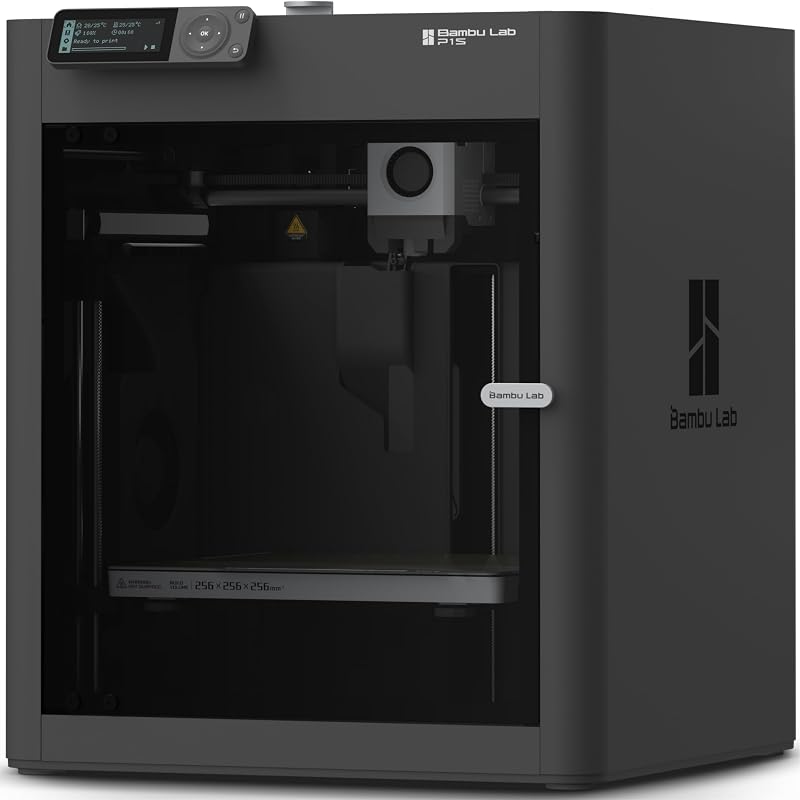
MakerWorld Model Library suits makers who would rather upgrade to an enclosed, ready-to-use CoreXY platform with automatic bed leveling and integrated multi-color capabilities via AMS rather than continuing to maintain and repair an open-frame bedslinger.

FLASHFORGE Adventurer 5M 3D Printer is an appealing alternative for users who want high-speed printing up to 600mm/s, fully auto leveling, and a 280°C direct extruder featuring a quick-swap 3-second detachable nozzle system for easier ongoing maintenance.
Beginner-Friendly Ecosystem with MakerWorld Model fits users looking for a factory-enclosed CoreXY FDM machine with high speed, precision printing, and seamless library integration right out of the box.
FAQ
Does the UniTak3D Kobra 2 Hotend fit the original Kobra Neo?
No. The listing explicitly states that this hotend is only compatible with the Kobra 2 series, including the Kobra 2 Neo, Kobra 2, Kobra 2 Plus, Kobra 2 Max, and Kobra 2 Pro. It does not fit first-generation models such as the original Kobra, Kobra GO, Kobra Neo, or Kobra Max.
Can I print Nylon or Polycarbonate with this replacement hotend?
No. This hotend is lined with internal tef-lon tubing and has a maximum operating temperature rating of 500 °F (260 °C). The manufacturer specifies that it cannot support high-temperature filaments such as PC, Nylon, CPE, or composite materials.
What nozzle type and size comes pre-installed?
The hotend arrives with an original high-accurate 0.4mm brass volcano style nozzle pre-installed. The extended volcano design supports smooth filament flow for high-speed printing.
What modifications are required when installing this on a Kobra 2 Max?
According to the manufacturer instructions, if you are installing this hotend onto a Kobra 2 Max, you must cut down the bowden tube to 41 mm. In addition, you should relevel the build plate and recalibrate the Z-offset after installation.
Which filaments are compatible with this hotend?
This hotend works with standard 1.75mm filaments including PLA, ABS, WOOD, PETG, and TPU, provided the printing temperature does not exceed 260 °C (500 °F).


